> For the complete documentation index, see [llms.txt](https://docs.coherence.io/llms.txt). Markdown versions of documentation pages are available by appending `.md` to page URLs; this page is available as [Markdown](https://docs.coherence.io/1.2.4/manual/asset-management.md).
# Asset management
In this section we cover how **coherence** handles loading `CoherenceSync` Prefabs into memory and instantiating them when a new remote entity appears on the network.
### CoherenceSyncConfig assets
Whenever you start synchronizing one of your Prefabs, either by adding the `CoherenceSync` component manually or clicking the **Sync with coherence** toggle in the Prefab inspector, coherence will create a `CoherenceSyncConfig` ScriptableObject to track the existence of this entity, and add it to a [registry](#the-coherencesyncconfigregistry).
A CoherenceSyncConfig
This object holds information on how a certain type of network entity is loaded and instantiated. As a user, the two main changeable options here are [**Load via**](/1.2.4/manual/asset-management/load-via.md), and [**Instantiate via**](/1.2.4/manual/asset-management/instantiate-via.md).
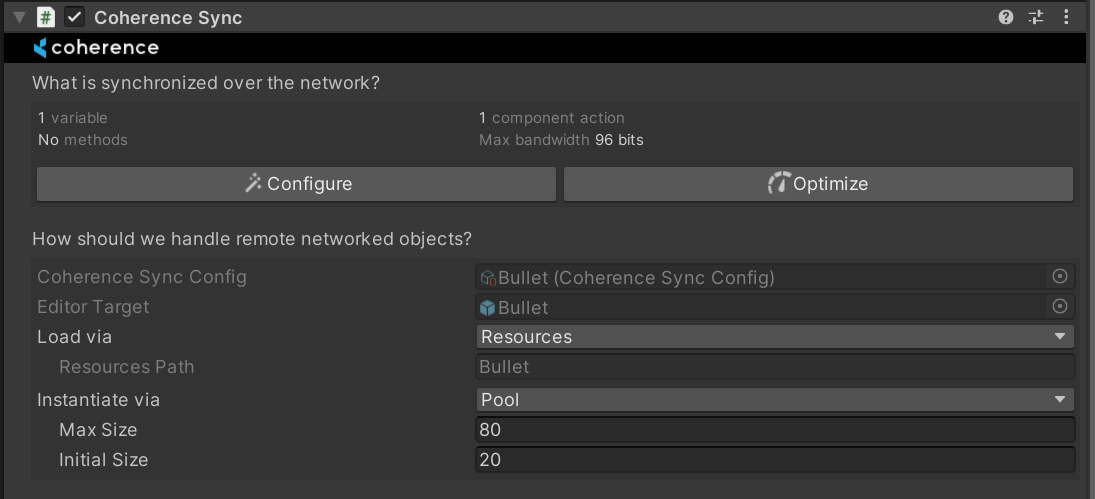
There is a 1:1 correspondence between a networked Prefab and its `CoherenceSyncConfig` object, so you can also edit the related `CoherenceSyncConfig` in the inspector of any `CoherenceSync` component:
CoherenceSyncConfig in CoherenceSync Inspector
The `CoherenceSyncConfig` object allows us to do the following:
* Hard reference the prefab in Editor, this means that whenever we have to do postprocessing in synced prefabs, we don't have to do a lookup or load them from Resources.
* Serialize the method of loading and instantiating this prefab in runtime.
* Soft reference the prefab in Runtime with a GUID, this means we can access the loading and instantiating implementations without having to load the prefab itself into memory.
{% hint style="info" %}
:file\_folder: `Assets/coherence/CoherenceSyncConfigs` is the default location of all `CoherenceSyncConfig` objects.
{% endhint %}
### The CoherenceSyncConfigRegistry
Every time a `CoherenceSyncConfig` object is created, it gets added to a registry that is another ScriptableObject of type `CoherenceSyncConfigRegistry`.
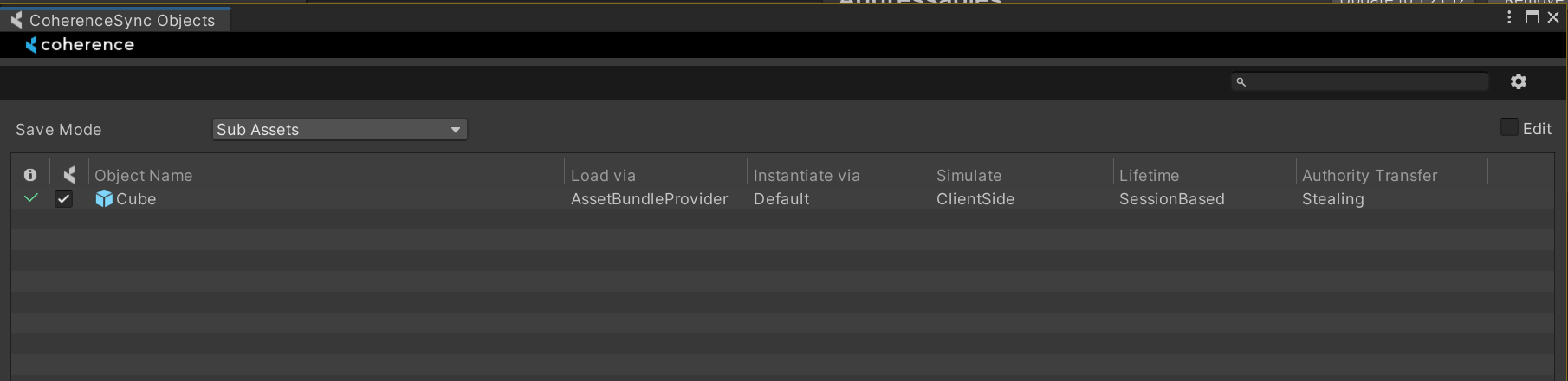
You can inspect all of the `CoherenceSyncConfig` assets in one place in the **CoherenceSync Objects** window, found under the **coherence > CoherenceSync Objects** menu item:
CoherenceSync Objects window
This is a great way to see the configuration of different entities next to each other, and to do mass edits.
{% hint style="info" %}
You can also manually inspect the `CoherenceSyncConfigRegistry` by selecting it from :file\_folder: `Assets/coherence` folder
{% endhint %}