> For the complete documentation index, see [llms.txt](https://docs.coherence.io/llms.txt). Markdown versions of documentation pages are available by appending `.md` to page URLs; this page is available as [Markdown](https://docs.coherence.io/1.2/learning-coherence/first-steps-tutorial/1-basic-syncing/1-3-sending-commands.md).
# 1.3. Sending commands
Using the same scene as in the [previous lesson](/1.2/learning-coherence/first-steps-tutorial/1-basic-syncing.md), we now take a look at another way to make Clients communicate: Network Commands. Network Commands are commonly referred to as "RPCs" (Remote Procedure Calls) in other networking frameworks. You can think of them as sending messages to objects, instead of syncing the value of a variable.
{% tabs %}
{% tab title="Topics covered" %}
[Network Commands](/1.2/coherence-sdk-for-unity/networking-state-changes.md) | [Animation](/1.2/coherence-sdk-for-unity/networking-state-changes/animation.md)
{% endtab %}
{% tab title="Game controls" %}
* **WASD** or **Left stick**: Move character
* Hold **Shift** or **Shoulder button left**: Run
* **Spacebar** or **Joypad button down**: Jump
* **Q** or **D-pad up**: Wave
{% endtab %}
{% endtabs %}
## In this scene
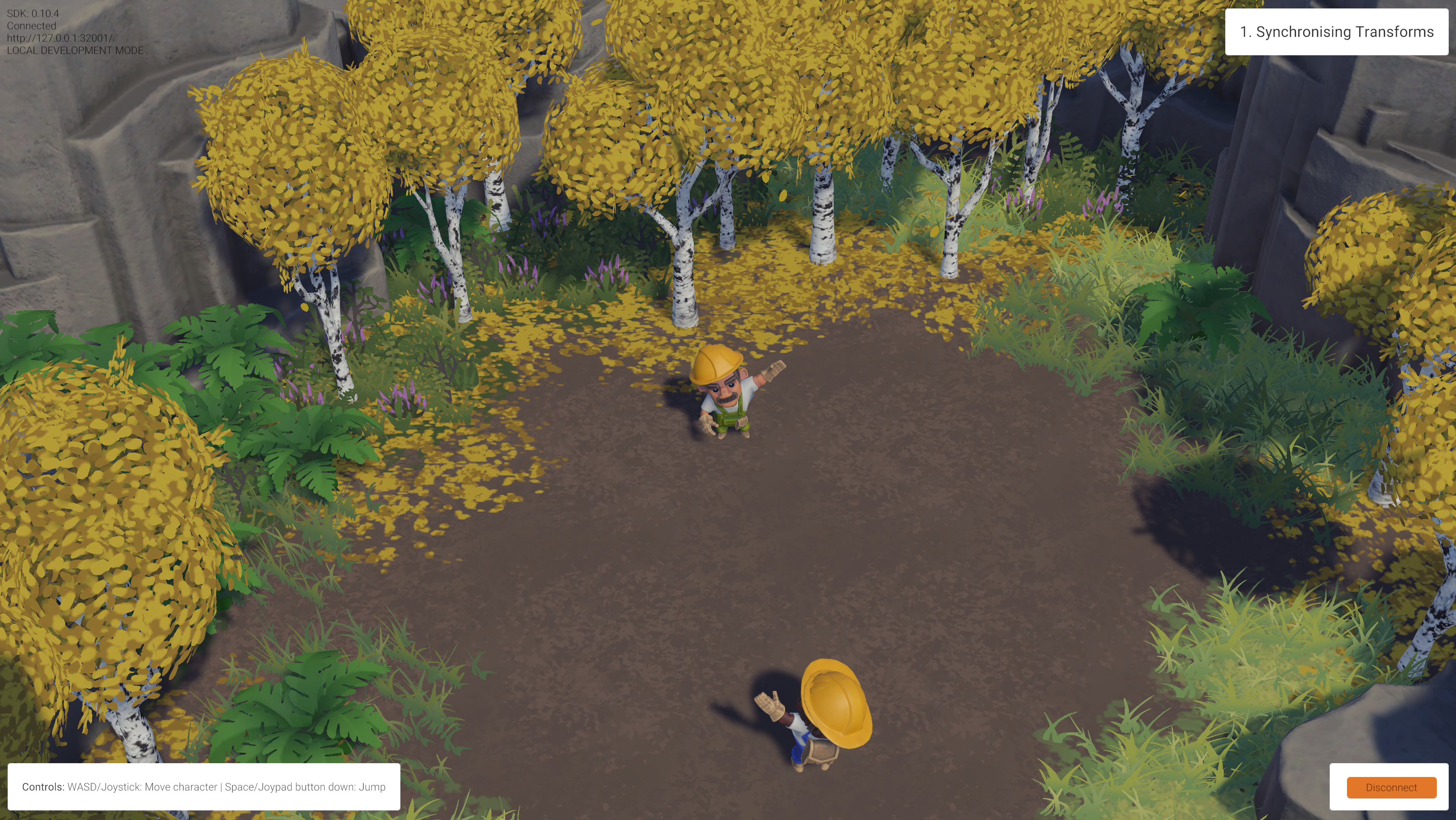
Building on top of previous examples, let's now focus on two key player actions. Press **Space** to jump, or **Q** to greet other players. For both of these actions to play their animation, we need to send a command over the network to invoke `Animator.SetTrigger()` on the other Client.
Two connected players waving at each other.
## How it's set up
Like before, select the player Prefab located in the `/Prefabs/Characters` folder, and browse its Hierarchy until you find the child GameObject called **Workman**.
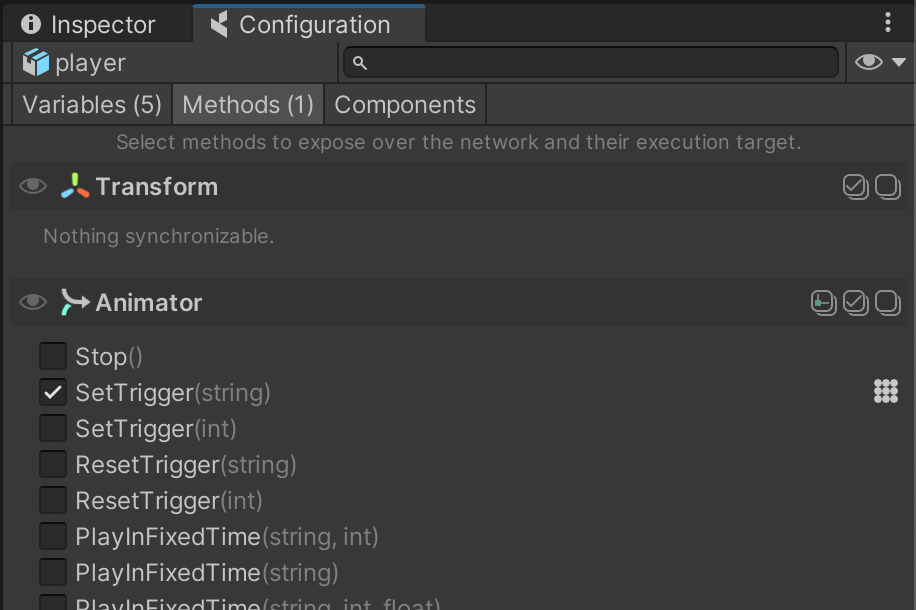
Open the **coherence** *Configure* window on the third tab, *Methods*:
You can see how the method `Animator.SetTrigger(string)` has been marked as a Network Command. With this done, it is now possible to invoke it over the network using code.
You can find the code doing so in the `Wave` class (located in `/Scripts/Player/Wave.cs`):
```csharp
sync.SendCommand(nameof(Animator.SetTrigger), MessageTarget.Other, "Wave");
```
Analysing this line of code, we can recognize 5 key parts:
* First, notice how the command is invoked on a specific `CoherenceSync` (that `sync` property).
* We want to invoke this command on a component that is an `Animator`.
* We invoke a method called "Animator.SetTrigger".
* With `MessageTarget.Other`, we are asking to send this message only to network entities other than the one that has the `CoherenceSync` we chose to use.
* We pass the string `"Wave"` as the first parameter of the method to invoke.
{% hint style="info" %}
Because we don't invoke this on the one with authority, you will notice that just before invoking the Network Command, we also call `SetTrigger` locally in the usual way:
```
animator.SetTrigger("Wave");
```
An alternative to this would have been to call `CoherenceSync.SendCommand()` with `MessageTarget.All`.
{% endhint %}
In this example we used Network Commands to trigger a transition in an animation state machine, but they can be used to call any instantaneous behavior that has to be replicated over the network. As an example of this, it is also used in the [Persistence](/1.2/learning-coherence/first-steps-tutorial/6-persistence.md) lesson to change a number in a UI element across all Clients.