When scripting Simulators, we need mechanisms to tell them apart.
Ask Coherence.SimulatorUtility.IsSimulator.
There are two ways you can tell coherence if the game build should behave as a Simulator:
COHERENCE_SIMULATOR preprocessor define.
--coherence-simulation-server command-line argument.
Connect and ConnectionTypeThe Connect method on Coherence.Network accepts a ConnectionType parameter.
Whenever the project compiles with the COHERENCE_SIMULATOR preprocessor define, coherence understands that the game will act as a Simulator.
Launching the game with --coherence-simulation-server will let coherence know that the loaded instance must act as a Simulator.
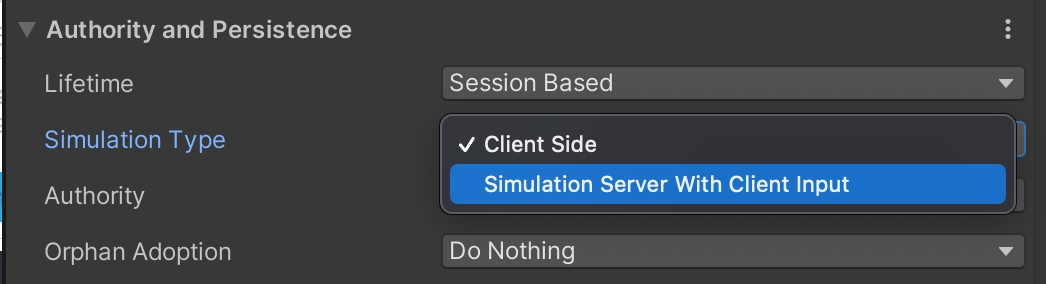
You can define who simulates the object in the CoherenceSync inspector.
coherence includes an auto-connect MonoBehaviour out of the box for Room- and World-based Simulators. The Component its called AutoSimulatorConnection.
When you add the Component, it will parse the connection data passed with to connect to the given Replication Server automatically. This will also work for Simulators you upload to the coherence Cloud.
using Coherence;
using UnityEngine;

public class SimulatorClass : MonoBehaviour
{
    public void Awake()
    {
        if (SimulatorUtility.IsSimulator)
        {
            // I'm a simulator!
        }
    }
}using Coherence;
using Coherence.Connection;
using Coherence.Toolkit;
using UnityEngine;
public class ConnectAsSimulator : MonoBehaviour
{
void Start()
{
var endpoint = new EndpointData
{
region = EndpointData.LocalRegion,
host = "127.0.0.1",
port = 32001,
schemaId = RuntimeSettings.instance.SchemaID,
};
var bridge = FindAnyObjectByType<CoherenceBridge>();
bridge.Connect(endpoint, ConnectionType.Simulator);
}
}#if COHERENCE_SIMULATOR
// simulator-specific code
#endif
