# First Steps tutorial

The [First Steps project](https://coherence.io/games/coherence/first-steps-tutorial) contains a series of small sample scenes, each one demonstrating one or more features of **coherence**.

### Scenes

If you're a first time user, we suggest to go through the scenes in the established order. They will guide you through some key **coherence** and networking concepts:

1. [Basic syncing](https://docs.coherence.io/1.6/getting-started/samples-and-tutorials/first-steps-tutorial/1-basic-syncing), [animations](https://docs.coherence.io/1.6/getting-started/samples-and-tutorials/first-steps-tutorial/1-basic-syncing/1-2-animation-parameters), [sending commands](https://docs.coherence.io/1.6/getting-started/samples-and-tutorials/first-steps-tutorial/1-basic-syncing/1-3-sending-commands)
2. [Physics and Authority](https://docs.coherence.io/1.6/getting-started/samples-and-tutorials/first-steps-tutorial/2-physics-authority-transfer)
3. [Areas of interest](https://docs.coherence.io/1.6/getting-started/samples-and-tutorials/first-steps-tutorial/3-spatial-partitioning)
4. [Parenting entities](https://docs.coherence.io/1.6/getting-started/samples-and-tutorials/first-steps-tutorial/4-parenting-entities)
5. [Complex entity hierarchies](https://docs.coherence.io/1.6/getting-started/samples-and-tutorials/first-steps-tutorial/5-complex-hierarchies)
6. [Persistence](https://docs.coherence.io/1.6/getting-started/samples-and-tutorials/first-steps-tutorial/6-persistence)

Remember that playing the scenes on your own only shows part of the picture. To fully experience the networked aspects, you have to play in one or more built instances alongside the Unity Editor, and even better - with other people.

### Download the Unity project

The Unity project can be downloaded from its [Github repo](https://github.com/coherence/first-steps-tutorial). The [Releases](https://github.com/coherence/first-steps-tutorial/releases) page contains pre-packaged .zip files.

### Try a pre-made build

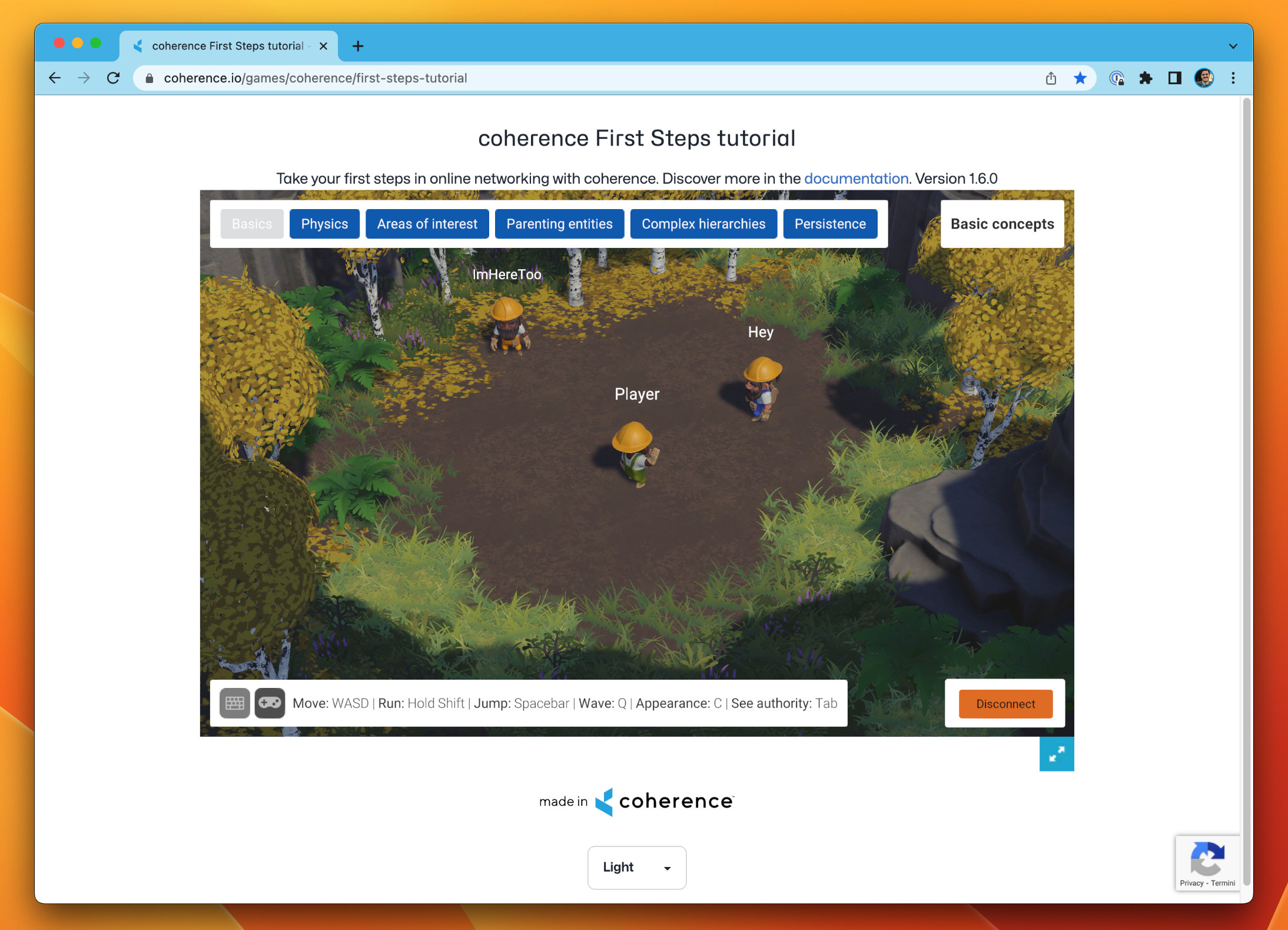
To quickly try a pre-built version of the game, head to [this link](https://coherence.io/games/coherence/first-steps-tutorial) and either play the WebGL build directly in the browser, or download one of the available desktop versions.

<figure><img src="https://content.gitbook.com/content/8utFtIPIKpqSCWkfmEu3/blobs/uFD0PKPP0e0Pc758Xinj/FirstStepsWebGL.jpg" alt=""><figcaption><p>WebGL build hosted directly in the coherence Cloud</p></figcaption></figure>

Share the link with friends and colleagues, and have them join you!

### Make your own build

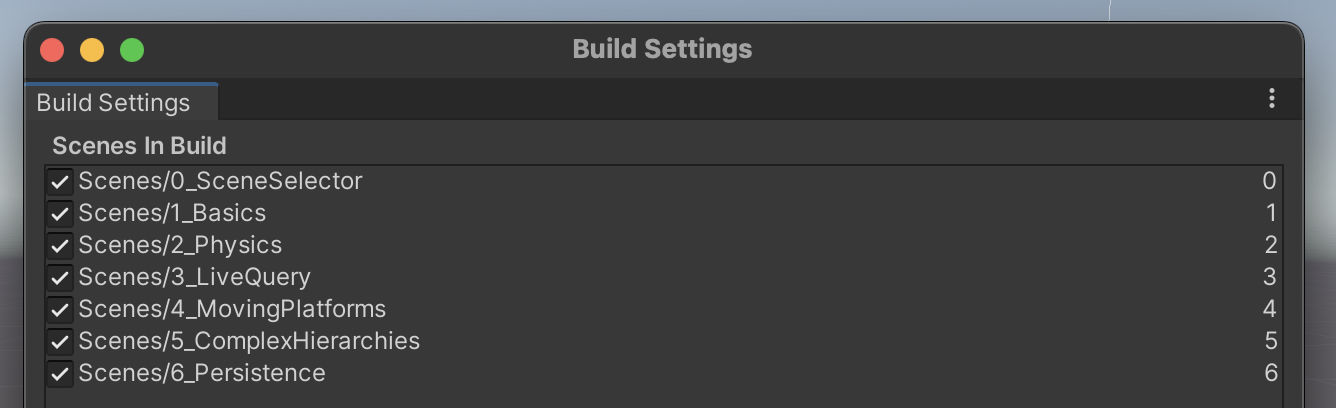
Once you open the project in the Unity Editor, you can build scenes via *File > Build Settings*, as per usual.

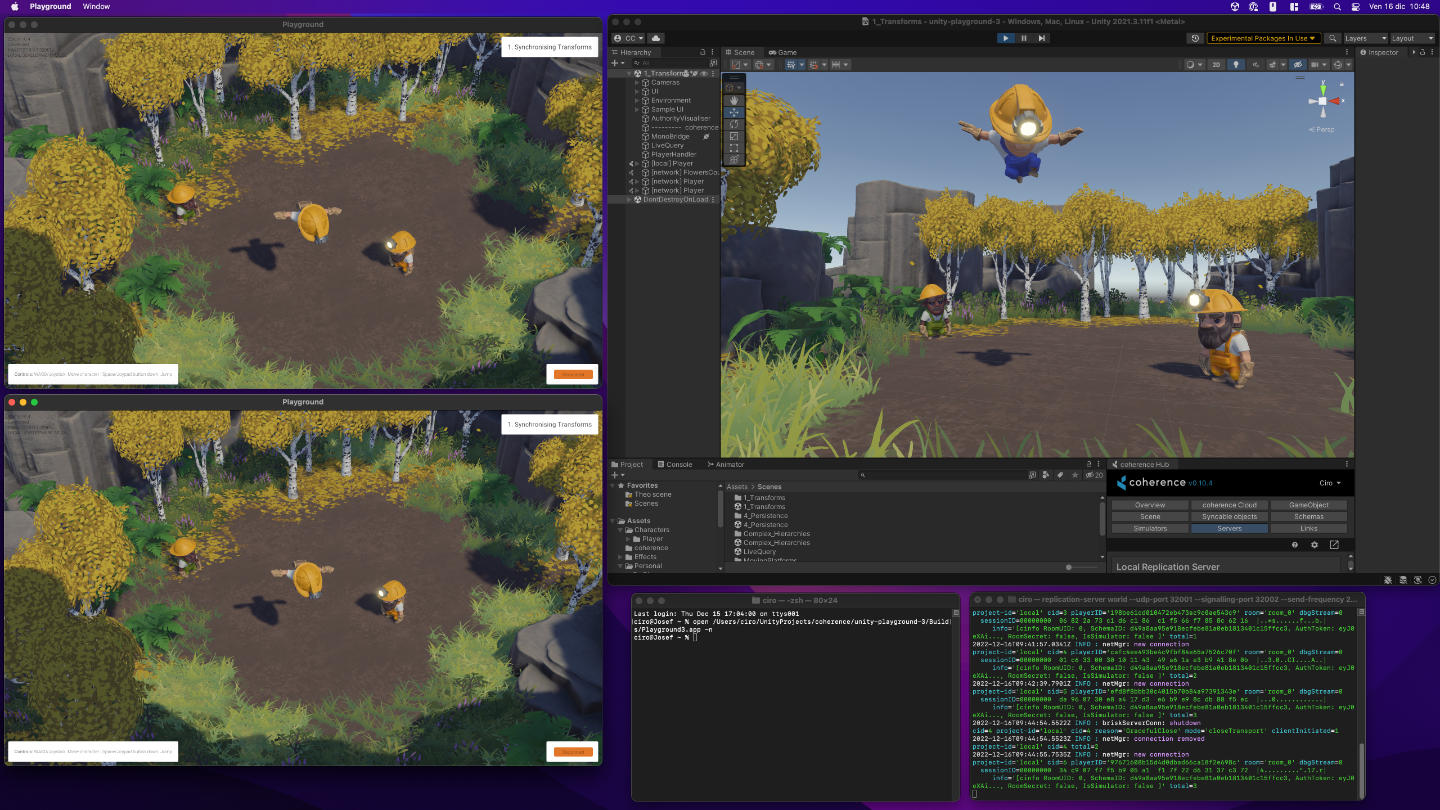
<figure><img src="https://content.gitbook.com/content/8utFtIPIKpqSCWkfmEu3/blobs/zTj6Vai8kFGjm7d07Bbd/Gaming.jpg" alt=""><figcaption><p>Testing out 2 builds and the Unity Editor together, while a local Replication Server runs in the console.</p></figcaption></figure>

{% hint style="success" %}
If you want to try all the scenes in one go, keep them all in the build and place **SceneSelector** as the first one in the list.

If you're working on an individual scene instead, bring that one to the top and deselect the others. The build will be faster.
{% endhint %}

<figure><img src="https://content.gitbook.com/content/8utFtIPIKpqSCWkfmEu3/blobs/B4bse7G3JWfegmBxIOIE/Scenes.jpg" alt=""><figcaption><p>Don't forget to bring the scene you're interested in to the top, so it is launched automatically.</p></figcaption></figure>

{% hint style="info" %}
To be able to connect, you need to also run a local Replication Server, that can be started via *coherence > Local Replication Server > Run for Worlds*.
{% endhint %}

You can try running multiple Clients rather than just two, and see how replication works for each of them. You can also have one Client just be the Unity Editor. This allows you to inspect GameObjects while the game runs.

{% hint style="success" %}
Since you might be building frequently, we recommend making native builds (macOS or Windows) as they are created much faster than WebGL.
{% endhint %}

You can also upload a build to the cloud and share a link with friends. To do that, [follow these steps](https://docs.coherence.io/get-started/coherence-cloud/share-builds) or [watch this quick video](https://www.youtube.com/watch?v=ZYJQzji1Oek) to learn how to host builds on the **coherence** Cloud.