> For the complete documentation index, see [llms.txt](https://docs.coherence.io/llms.txt). Markdown versions of documentation pages are available by appending `.md` to page URLs; this page is available as [Markdown](https://docs.coherence.io/1.6/support/report-a-bug.md).
# Report a bug
Learn how to effectively report a bug
If something is not working in **coherence**, you can help us greatly by reporting a bug. Reporting a bug with the right details can greatly improve the chances that it will be fixed soon.
We collect bug reports in our **community forums**, in the [**Bug reports**](https://community.coherence.io/c/bug-reports/10) section.
{% hint style="info" %}
In case you are not following the bug report flow, you can choose the **coherence > Help > Community Forums** option to go to our forums.
{% endhint %}
If you aren't logged in you will be asked to log in or register first. You can login with the same account you use to view the [coherence Dashboard](/1.6/hosting/coherence-cloud/online-dashboard.md), no need to create a new one.
Once you are logged in, open a new thread in the [**Bug reports**](https://community.coherence.io/c/bug-reports/10) section, and describe your bug.
## Reporting from the Unity SDK
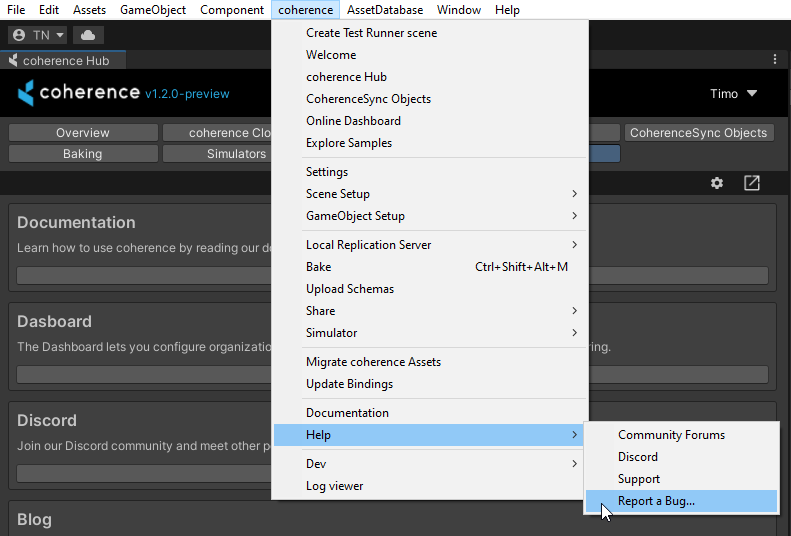
To get started, you can open the bug report dialog using the top menu item **coherence > Help > Report a Bug...**
## Optional: Generate the Diagnostics.zip
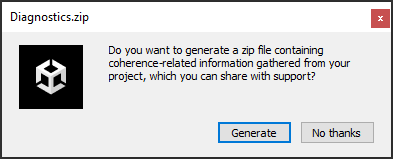
A dialog containing two choices appears on your screen.
You will be prompted to generate an archive containing diagnostics information for more effective debugging. You also have an option to skip this step.
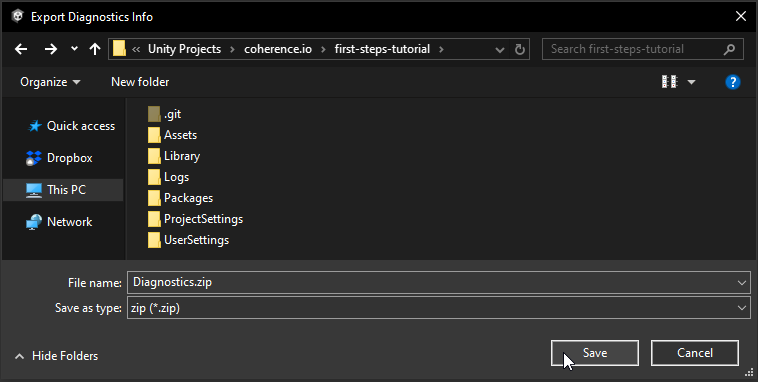
### Pick a save location
Pick whatever location you want to save your diagnostics file - for example your Desktop.
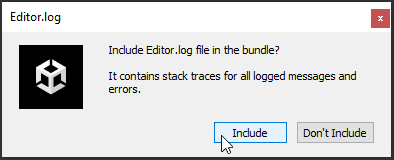
### Include Editor.log
Next you will be prompted to include an [Editor.log](https://docs.unity3d.com/Manual/LogFiles.html) file, if you wish.
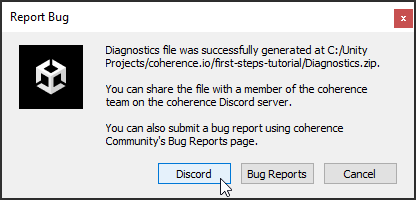
### Report the bug
Finally, you will get the option of reporting your bug in the **coherence** community forums (which is our preferred way) or via Discord.
## Writing a good bug report
You can use the following template to create an informative bug report:
```
### Description, details and error message(s)
_Details here of what happened_
_Add any error message you've gotten in the Unity console, or in coherence server logs_
### Expected behaviour
_Details here of what should have happened_
### Screenshots
_If applicable, add screenshots to help explain the problem_
### How to reproduce
#### Reproduction rate:
_(Choose one, or describe it yourself)_
Once / Sometimes / Every time
#### Steps:
1. step
2. step
### Environment
SDK version:
Unity version:
OS/Platform:
```
If you have generated a diagnostics file that you can share with the team, you can also let us know about this in the thread or post a link to it directly (uploading it to Google Drive or similar).
{% hint style="success" %}
When you get a response from a member of the coherence team in the thread, you can share the diagnostics file with them directly, if you want to avoid having the files being accessible to everyone.
{% endhint %}