# 1.1 Animation parameters
Using the same scene as in the [previous lesson](https://docs.coherence.io/2.0/getting-started/samples-and-tutorials/first-steps-tutorial/1-basic-syncing), let's see how to easily sync animation over the network.
{% tabs %}
{% tab title="Topics covered" %}
[Animation](https://docs.coherence.io/2.0/manual/networking-state-changes/animation) | Bindings
{% endtab %}
{% tab title="Game controls" %}
* **WASD** or **Left stick**: Move character
* Hold **Shift** or **Shoulder button left**: Run
* **Spacebar** or **Joypad button down**: Jump
{% endtab %}
{% endtabs %}
### In this scene
We haven't mentioned it before, but the character Prefab does a lot more than just syncing its position and rotation.
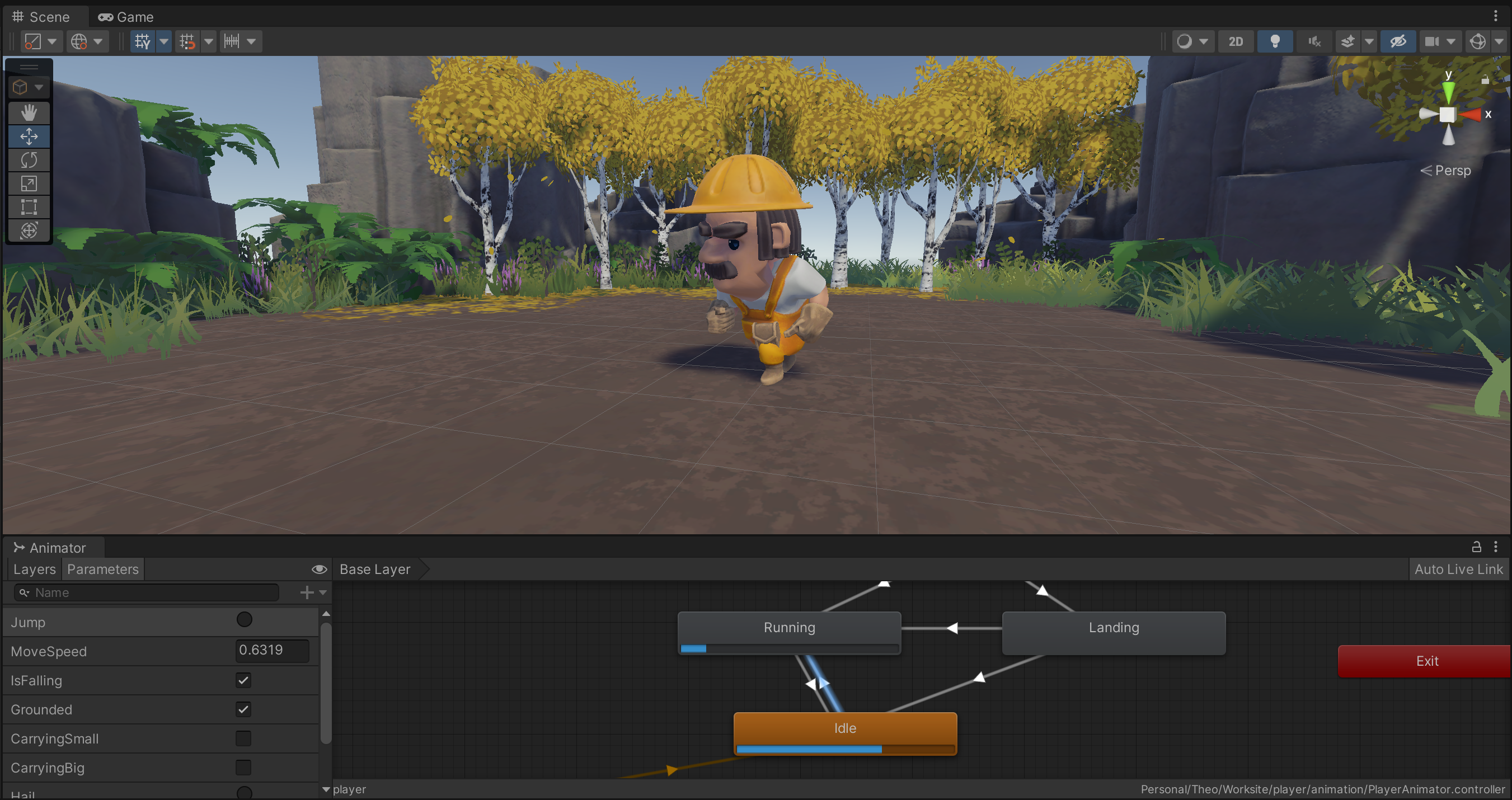
When you move around, you will notice that animation is also replicated across Clients. This is done via synced Animator parameters (and Network Commands, but we cover these in the [next lesson](https://docs.coherence.io/2.0/getting-started/samples-and-tutorials/first-steps-tutorial/1-basic-syncing/1-3-sending-commands)).
The parameter MoveSpeed makes the player transition from the Idle state to Running.
Very much like in the example about position and rotation, just sending these across the network allows us to keep animation states in sync, making it look like network-instantiated Prefabs on other Clients are performing the same actions.
### How it's set up
Open the player Prefab located in the `/Prefabs/Characters` folder. Browse its Hierarchy until you find the child GameObject called **Workman**. You will notice it has an `Animator` component.
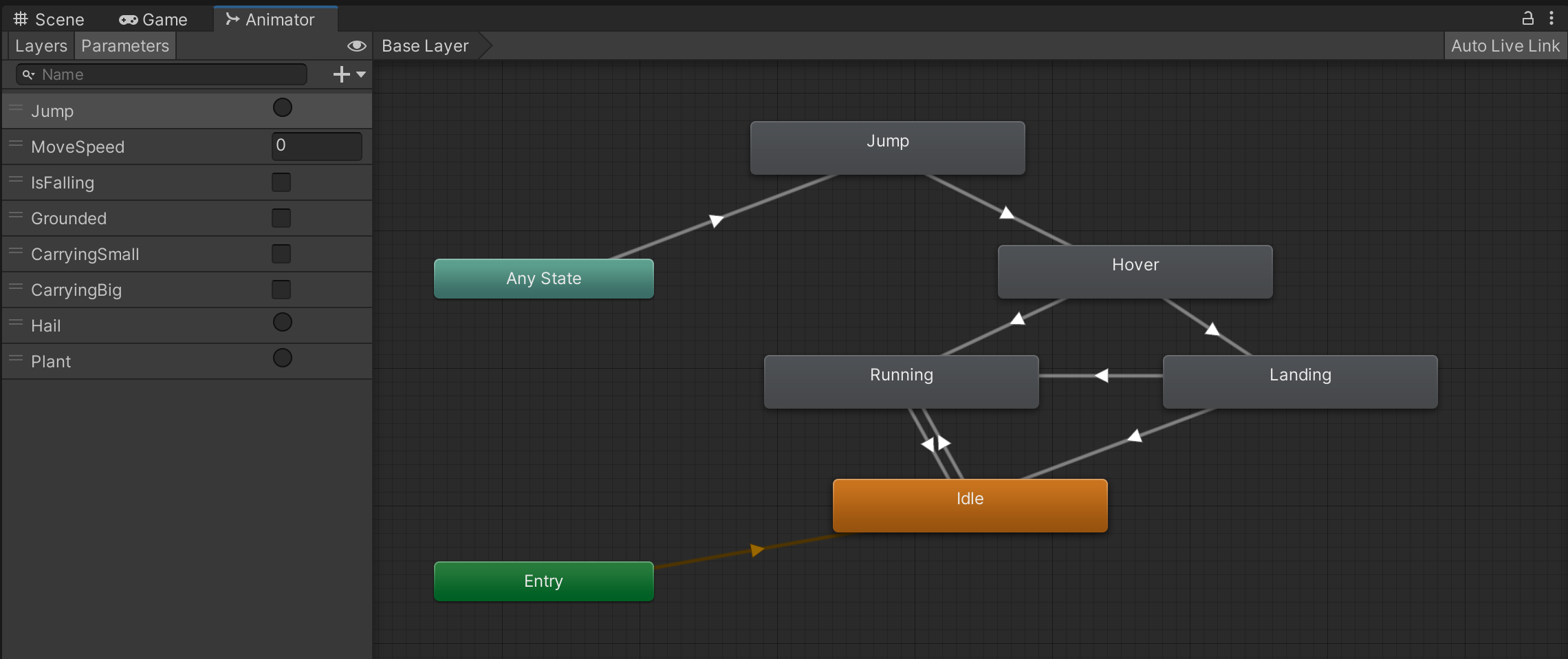
Select this GameObject and open the *Animator* window.
The Animator controller of the player.
As is usually the case, animation is controlled by a few Animator parameters of different types (int, bool, float, etc.).
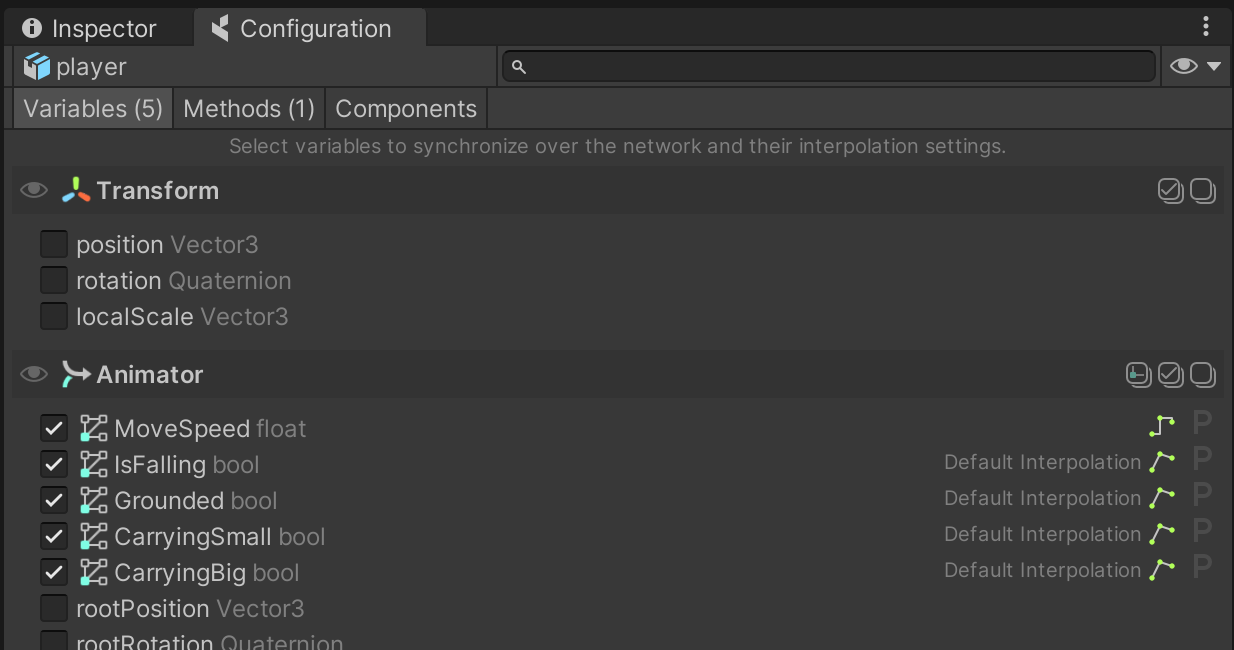
Make sure to keep the GameObject with the Animator component selected, and open the **coherence** *Configure* window:
You will see that a group of animation parameters are being synced. It's that simple: just checking them will start sending the values across, once the game starts, just like other regular public properties.
{% hint style="info" %}
Did you notice that we are able to configure bindings even if this particular GameObject doesn't have a `CoherenceSync` component on it? This is done via the one attached to the root of the player Prefab.
These parameters on child GameObjects are what we call **deep bindings**.
Learn more in the [Complex hierarchies](https://docs.coherence.io/2.0/getting-started/samples-and-tutorials/first-steps-tutorial/5-complex-hierarchies) lesson, or on [this page](https://docs.coherence.io/2.0/manual/networking-state-changes/child-gameobjects).
{% endhint %}
There is only one piece missing: **animation Triggers**. We use one to trigger the transition to the Jump state.
Since Triggers are not a variable holding a value that changes over time, but rather an action that happens instantaneously, we can't just enable in the *Config* window like with other animator parameters. We will see how to sync them in the [next lesson](https://docs.coherence.io/2.0/getting-started/samples-and-tutorials/first-steps-tutorial/1-basic-syncing/1-3-sending-commands), using Network Commands.