> For the complete documentation index, see [llms.txt](https://docs.coherence.io/llms.txt). Markdown versions of documentation pages are available by appending `.md` to page URLs; this page is available as [Markdown](https://docs.coherence.io/getting-started/setup-a-project/test-in-the-cloud/deploy-replication-server.md).
# Upload the Schema
{% hint style="info" %}
If you prefer a video tutorial, refer to [Part 3](https://youtu.be/ZYJQzji1Oek) of our Getting Started series.
{% endhint %}
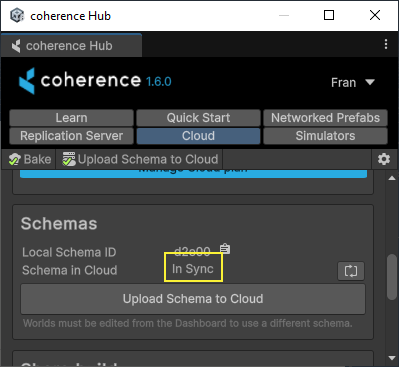
In the **coherence Hub** window, select the **Cloud** tab, and click on **Upload Schema to Cloud**.
The **Cloud Status** in the **Schemas** section should now be *In Sync*.
{% hint style="info" %}
If the status does not say "*In Sync*", or if you encounter any other issues with the server interface, refer to the [troubleshooting](/support/known-issues.md) section.
{% endhint %}
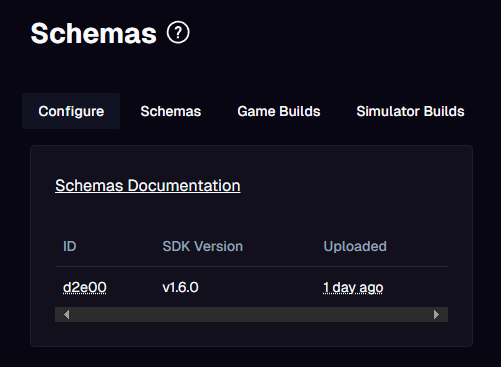
Your project schema is now deployed with the correct version of the Replication Server already running in the cloud. You will be able to see this in your cloud dashboard status.
You can now build the game and send the build to friends or colleagues for testing.
If you used one of the Connection Dialog samples, once you play the game it will fetch all the regions available for your project. This depends on the project configuration (e.g., the regions that you have selected for your project in the Dashboard).
You will be able to play over the internet without worrying about firewalls and local network connections.