> For the complete documentation index, see [llms.txt](https://docs.coherence.io/llms.txt). Markdown versions of documentation pages are available by appending `.md` to page URLs; this page is available as [Markdown](https://docs.coherence.io/manual/replication-server/command-line-interface.md).
# Replication server CLI
How to use the Replication server in the command-line
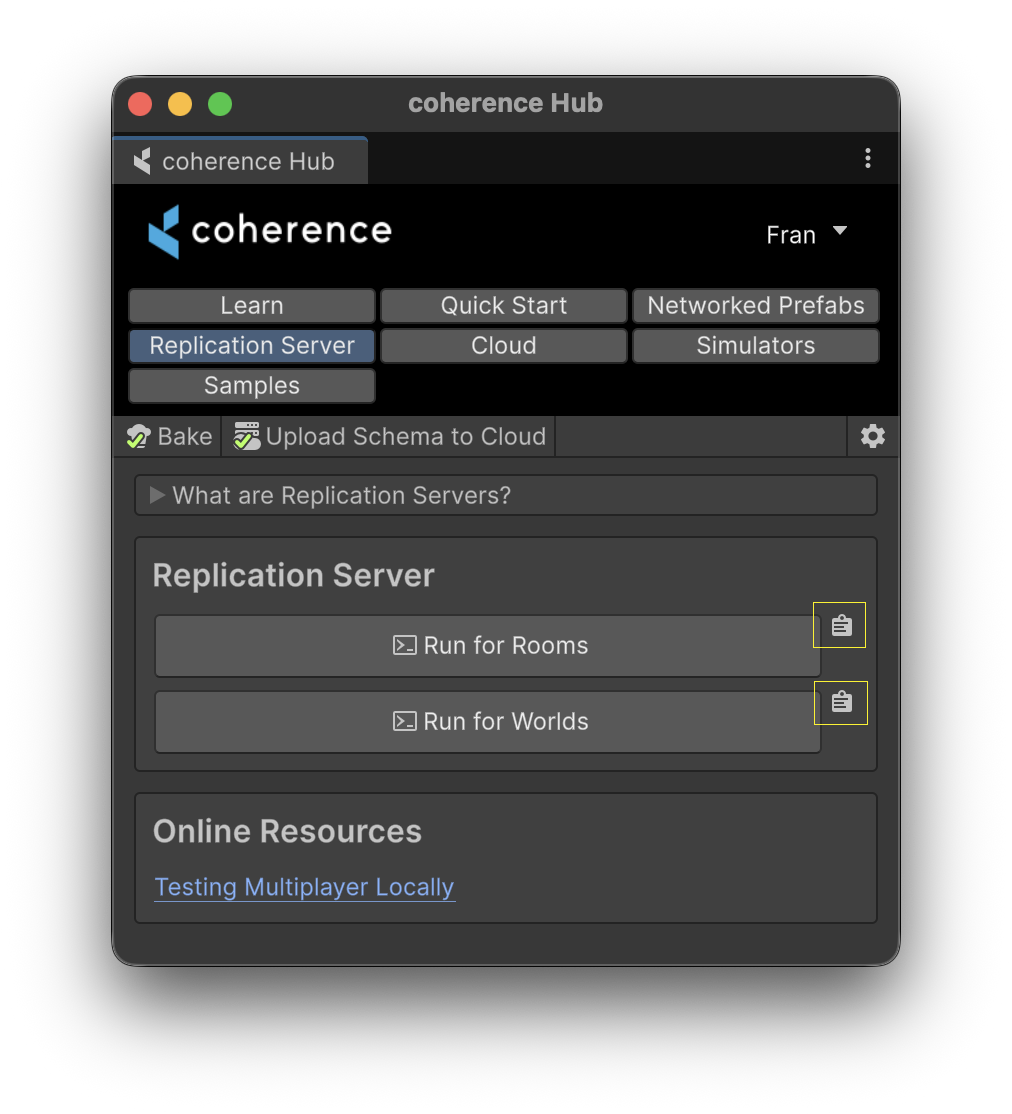
To start a local Replication Server yourself, you can copy the command to clipboard from within the **Replication Server** tab in coherence Hub.
Pasting this command into a terminal allows you to launch a Replication Server with specific settings.
{% hint style="info" %}
Scripts holding these command can be also found at:
`/Library/coherence/run-replication-server-[rooms|worlds].[bat|sh]`
{% endhint %}
To see a full list of flags available:
```shellscript
path/to/replication-server rooms --help
path/to/replication-server world --help
```
#### Minimal working example
For worlds, `--schema` must be provided:
{% code overflow="wrap" %}
```shellscript
path/to/replication-server world --schema "/Coherence.Toolkit/Toolkit.schema,/Assets/coherence/Gathered.schema"
```
{% endcode %}
For rooms, `--default-schema` must be provided:
{% code overflow="wrap" %}
```shellscript
path/to/replication-server rooms --default-schema "/Coherence.Toolkit/Toolkit.schema,/Assets/coherence/Gathered.schema"
```
{% endcode %}
{% hint style="info" %}
Substitute `` with the path to a coherence package installation, and `` is the path to your Unity project root.
If you installed coherence through the Asset Store, check `/Packages/io.coherence.sdk`. If you installed through the Scoped Registry, check `/Library/PackageCache/io.coherence.sdk@`.
`Toolkit.schema` and `Gathered.schema` must be provided.
{% endhint %}
#### Allowing connections from other machines
By default, the Replication Server binds to `127.0.0.1`, which means only connection from within the local machine will be accepted. To accept connections from any other machine, use `--local-ip-override "0.0.0.0"`.