Configure Rooms
From the Online Dashboard, you can configure how Rooms are created through the SDK in the coherence cloud.
Configuring rooms in the Online Dashboard From the left sidebar, select Rooms. On this page you can:
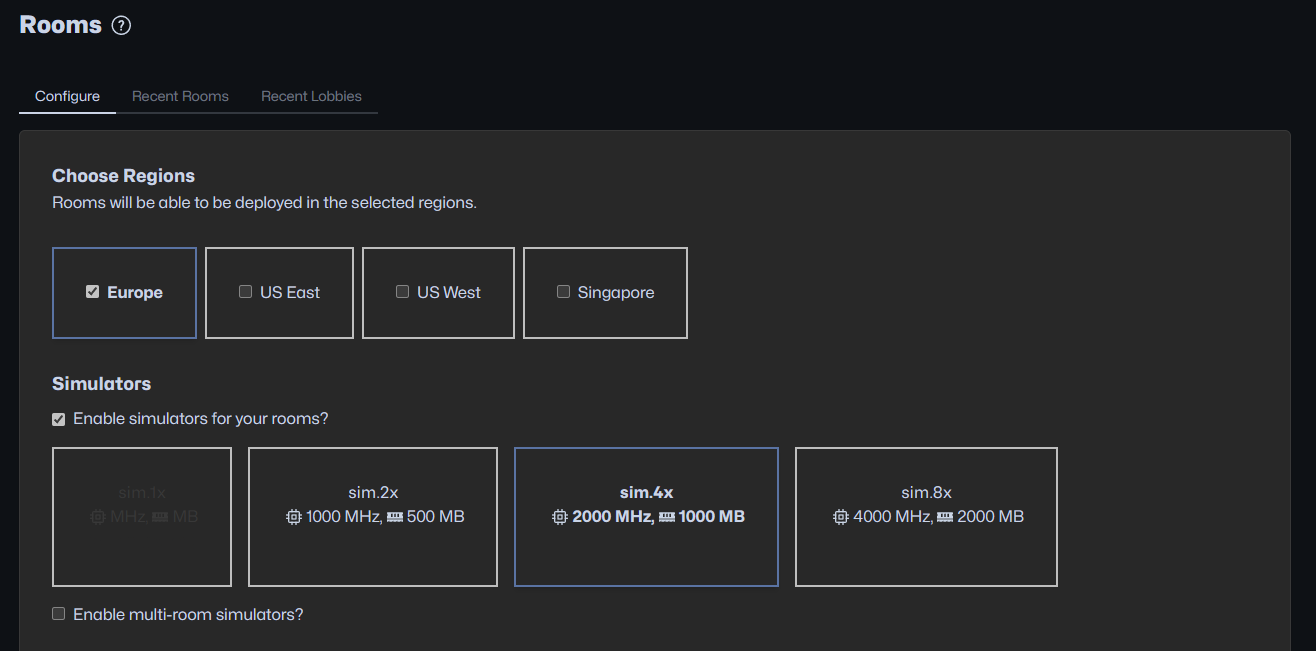
Choose the regions you want to allow your rooms to be created in.
Enable Simulators for your Rooms.
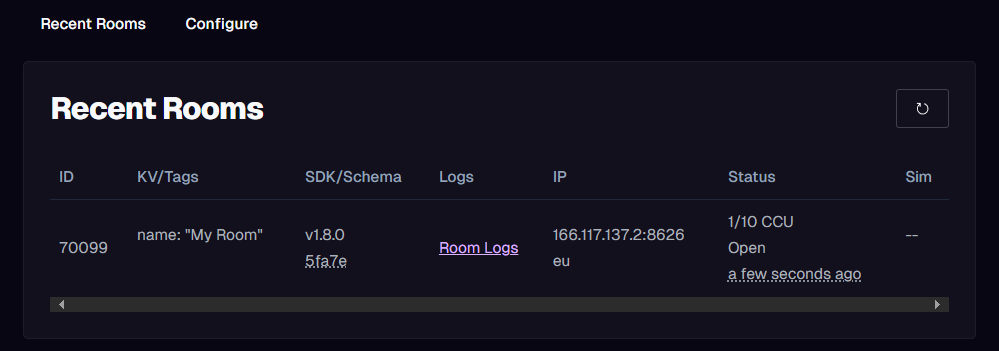
View a list of recently created Rooms.
View a list of recently uploaded Simulators.
From the Online Dashboard, you can configure what size you want your instances to be. To attach a Simulator to a Room, send the uploaded through the SDK with the Rooms creation request. When using the to create Rooms, the Simulator uploaded through the SDK is automatically assigned in the creation request.
Replication Server & Send Frequency
The packet frequencies for sending and receiving data can be adjusted per project. It is part of the Advanced Config section and adjusting the frequencies is available only for paid plans.
Recent Rooms Table
The Recent Rooms Table provides a quick view of the recently created Rooms with the following information per column:
Creating, Fetching and Joining Rooms in Unity
Please refer to the section.
Rooms are automatically closed within a few minutes after the last player has left the room. This can be changed in the Advanced Config section.
Players
The default setting is 10 players hosted, but you can specify your own value anywhere between 2 and 100 players.
To support more than a 100 players per room, write to [email protected]
Entities
1000 by default, but can be increased up to 65535 in local development or client-hosted scenarios.
There is no UI button for increasing the supported player count, so you need to work through our .
When creating a room via ReplicationServerRoomsService.CreateRoom you can pass SelfHostedRoomCreationOptions as creation options.
To change the Entity limit just set the SelfHostedRoomCreationOptions.MaxEntities to a desired value.
Tags
Each individual tag: max 50 characters.
Total size of all tags combined: max 500 bytes.
Key-Value Pairs
Each individual key: max 50 characters (min 1).
Each individual value: max 50 characters (min 1).
Total size of all keys + values combined: max 2,000 bytes.