> For the complete documentation index, see [llms.txt](https://docs.coherence.io/llms.txt). Markdown versions of documentation pages are available by appending `.md` to page URLs; this page is available as [Markdown](https://docs.coherence.io/1.0/learning-coherence/first-steps-tutorial/1-basic-syncing/1-3-sending-commands.md).
# 1.3. Sending commands
Using the same scene as in the [previous lesson](/1.0/learning-coherence/first-steps-tutorial/1-basic-syncing.md), we now take a look at another way to make Clients communicate: Network Commands. Network Commands are like sending direct messages to objects, instead of syncing the value of a variable.
### **Controls**
* **WASD** or **Left stick**: Move character
* Hold **Shift** or **Shoulder button left**: Run
* **Spacebar** or **Joypad button down**: Jump
* **Q** or **D-pad up**: Wave
### Topics covered
[Network Commands](/1.0/coherence-sdk-for-unity/networking-state-changes.md) | [Animation](/1.0/coherence-sdk-for-unity/networking-state-changes/animation.md)
## In this scene
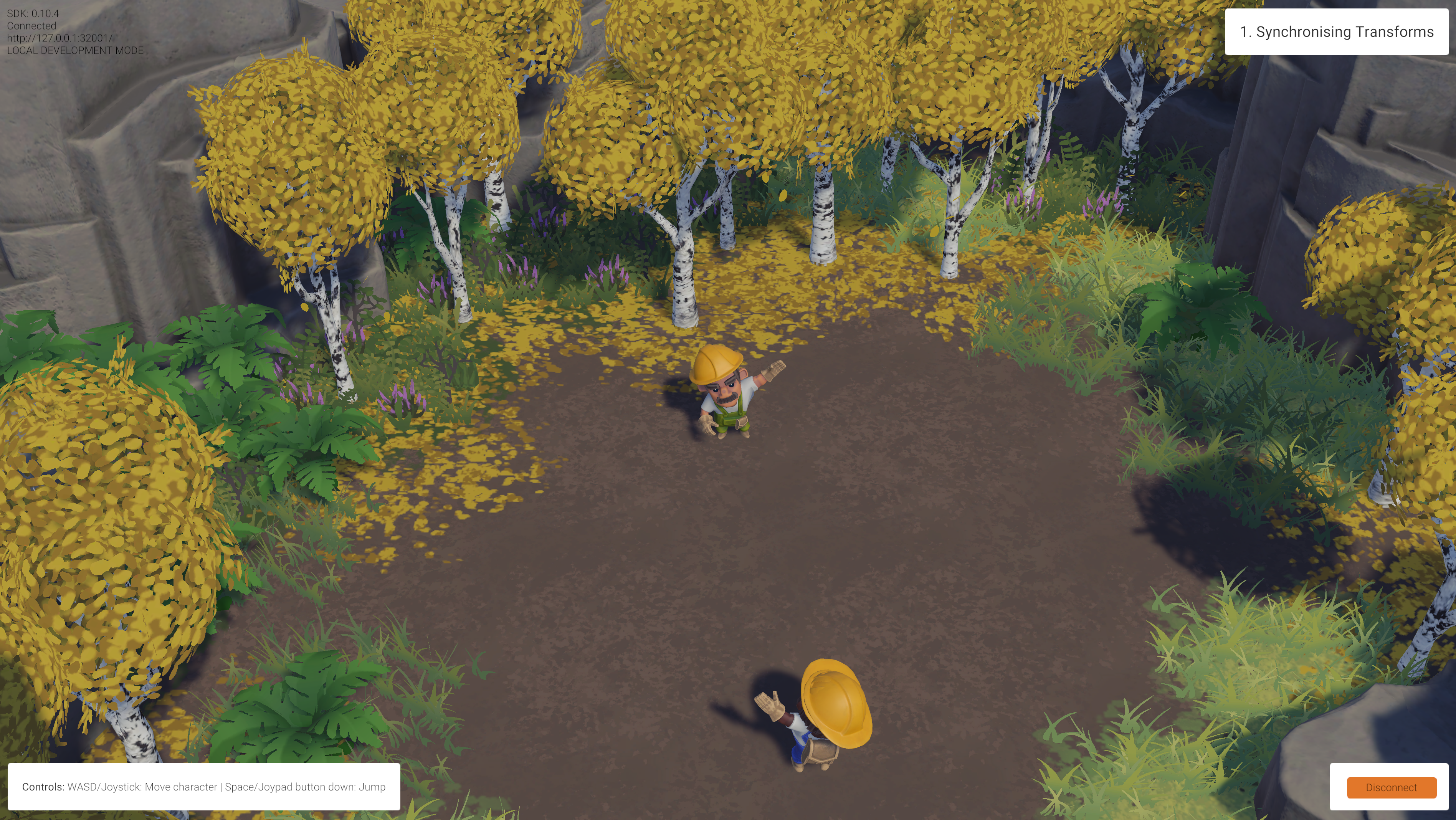
Building on top of previous examples, let's now focus on two key player actions. Press **Space** to jump, or **Q** to wave. For both of these actions to play their animation, we need to send a command over the network to call `Animator.SetTrigger()` on the other Client.
Two connected players waving at each other.
### How it's set up
Like before, select the player Prefab located in the `/Prefabs/Characters` folder, and browse its Hierarchy until you find the child GameObject called **Workman**.
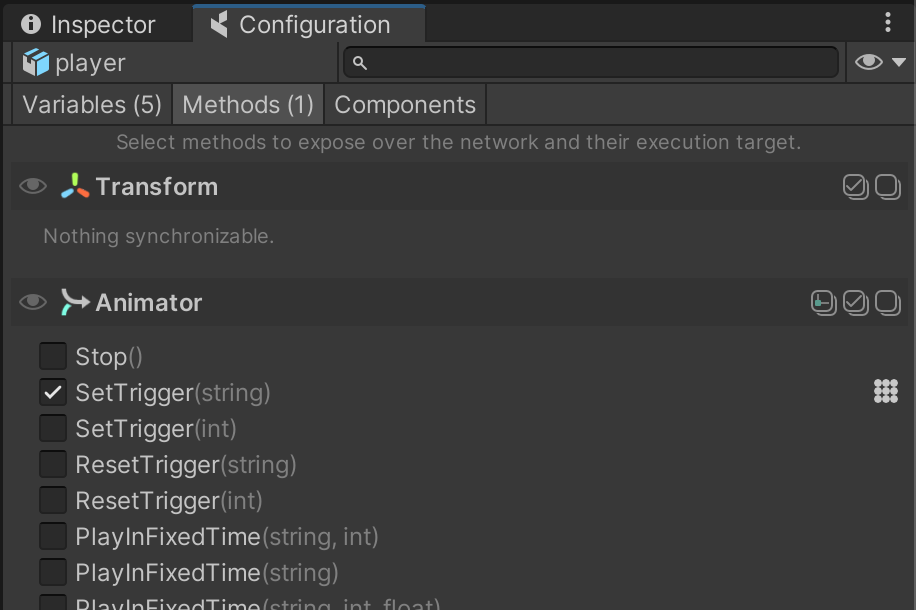
Open the **coherence** *Configure* window on the *Methods* tab:
You can see how the method `Animator.SetTrigger(string)` has been marked as a Network Command. Once this is done, it is possible to invoke it over the network.
You can find the code doing so in the `Wave` class (located in `/Scripts/Player/Wave.cs`):
```
sync.SendCommand(nameof(Animator.SetTrigger), MessageTarget.Other, "Wave");
```
With this simple line of code, we're asking to:
* Find a recipient to the command that is of the class `Animator`.
* Invoke a method called `Animator.SetTrigger`.
* Do so only for network entities other than the one with authority (`MessageTarget.Other`).
* Pass the string `"Wave"` as the first parameter (which is the name of the animation trigger parameter).
{% hint style="info" %}
Because we don't invoke this on the one with authority, you will notice that just before invoking the Network Command, we also call `SetTrigger` locally in the usual way:
```
animator.SetTrigger("Wave");
```
An alternative to avoid this would have been to pass `MessageTarget.All` to `CoherenceSync.SendCommand()`.
{% endhint %}
In this example we used Network Commands to trigger a transition in an animation state machine, but they can be used to call any instantaneous behavior that has to be replicated over the network. As an example of this, it is also used in the [Persistence](/1.0/learning-coherence/first-steps-tutorial/6-persistence.md) lesson to change a number in a UI element across all Clients.