> For the complete documentation index, see [llms.txt](https://docs.coherence.io/llms.txt). Markdown versions of documentation pages are available by appending `.md` to page URLs; this page is available as [Markdown](https://docs.coherence.io/1.2.4/getting-started/setup-a-project/local-development.md).
# Local development
Now we can build the project and try out network replication locally. This example will show you how to launch a local [Replication Server](/1.2.4/manual/replication-server.md) and connect multiple instances of the game to it.
## Running a Replication Server locally
You can run a local Replication Server from:
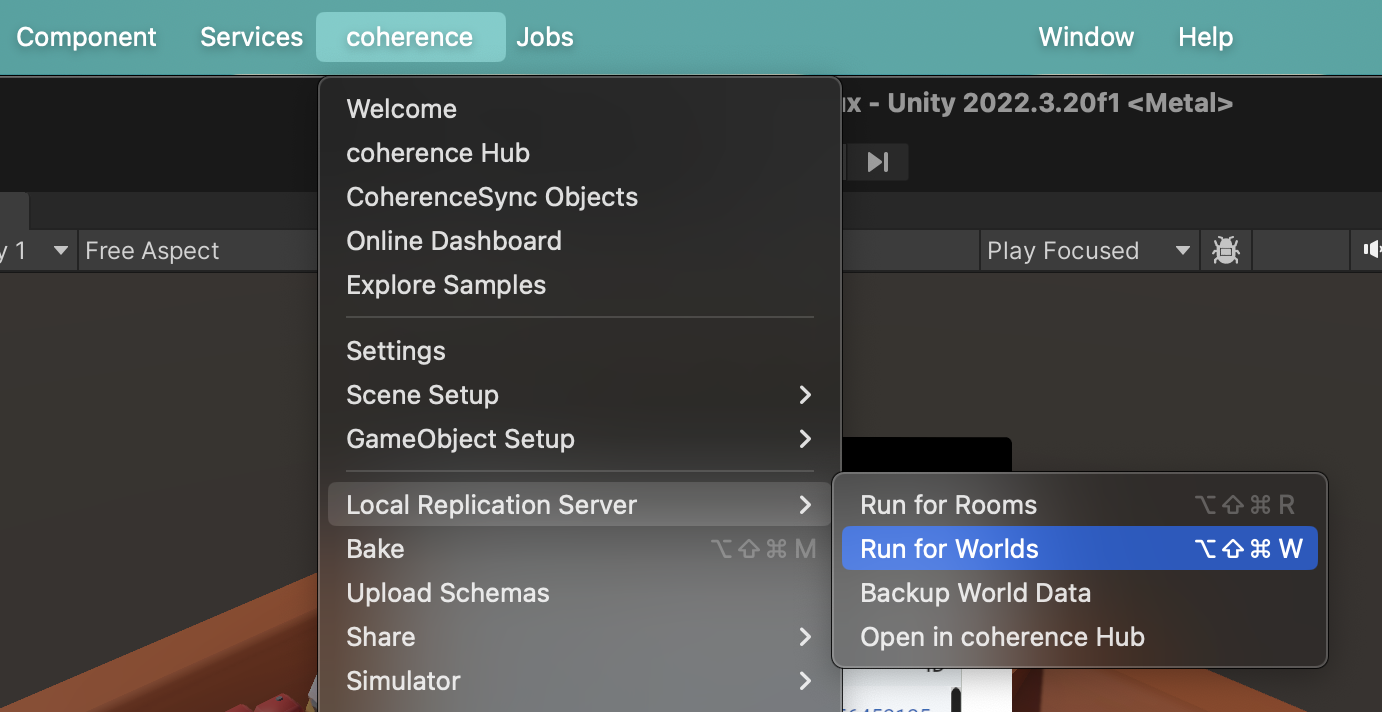
*coherence > Local Replication Server > Run for Rooms / Run for Worlds*
 As with most features found in the menu, you can find local Replication Server functionality in the *coherence Hub* as well.
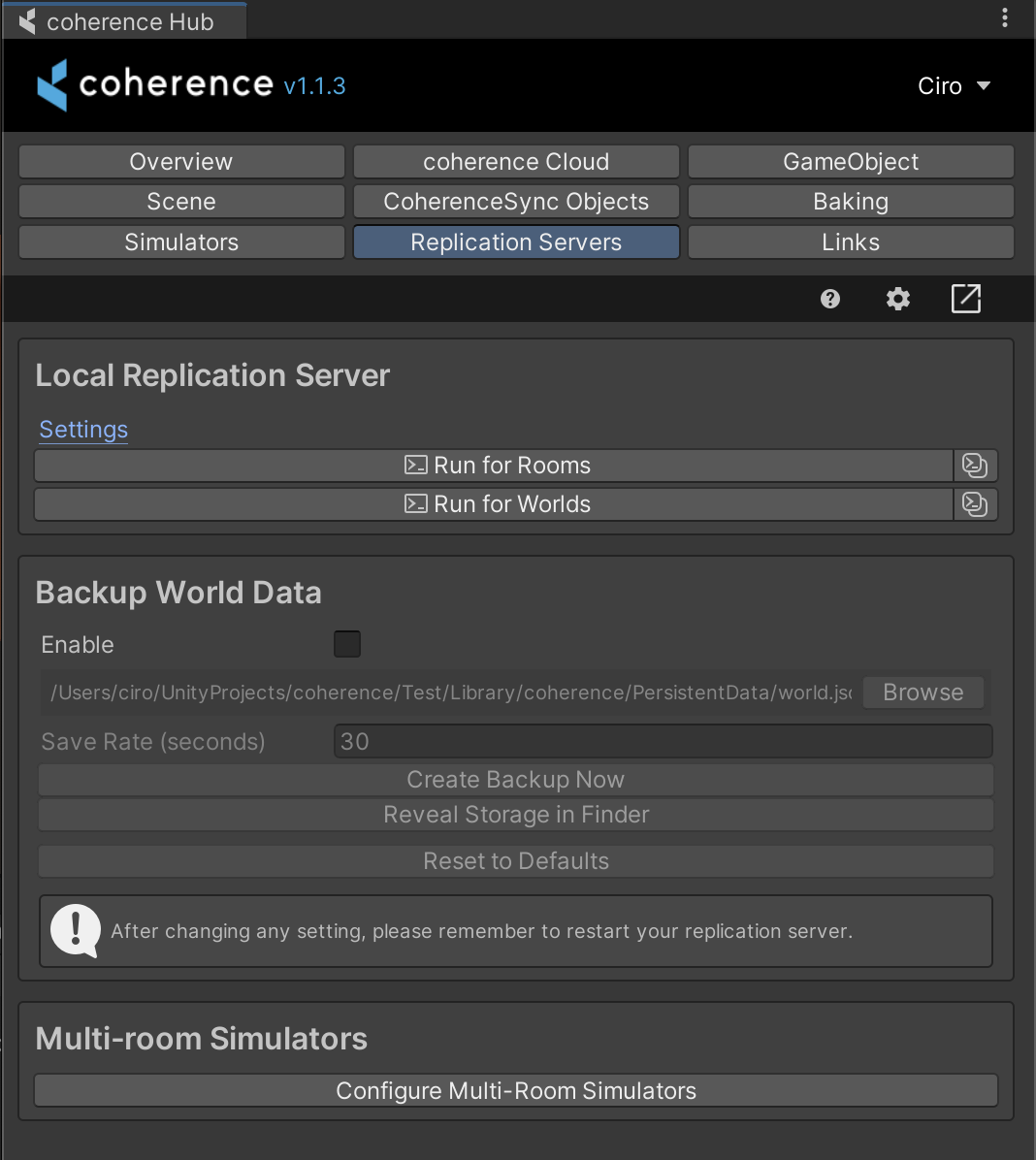
Open the *Replication Servers* tab and run a Room or a World Replication Server:
As with most features found in the menu, you can find local Replication Server functionality in the *coherence Hub* as well.
Open the *Replication Servers* tab and run a Room or a World Replication Server:
 {% hint style="info" %}
Whether you run a Replication Server for Rooms or for Worlds depends on [which setup you plan to use](/1.2.4/manual/replication-server/rooms-and-worlds.md), which in turn requires the correct corresponding [Sample UI](/1.2.4/getting-started/setup-a-project/samples-connection-uis.md).
{% endhint %}
Regardless of how you launch it, a new terminal window will open and display the running Replication Server:
{% hint style="info" %}
Whether you run a Replication Server for Rooms or for Worlds depends on [which setup you plan to use](/1.2.4/manual/replication-server/rooms-and-worlds.md), which in turn requires the correct corresponding [Sample UI](/1.2.4/getting-started/setup-a-project/samples-connection-uis.md).
{% endhint %}
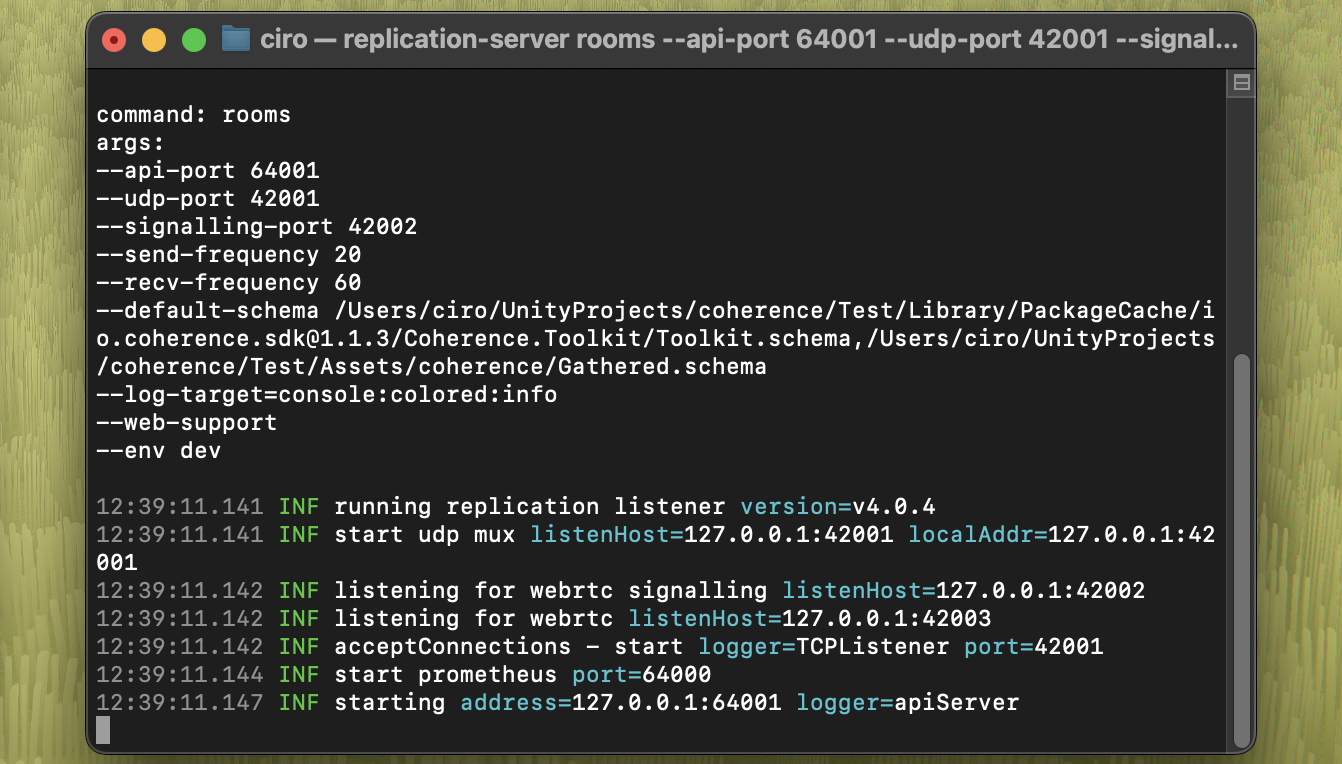
Regardless of how you launch it, a new terminal window will open and display the running Replication Server:
 {% hint style="success" %}
Done! If the terminal opens correctly and you don't see an error line, it means your Replication Server is running! Now you should be able to connect in the game.
{% endhint %}
{% hint style="warning" %}
**If you can't connect**
Did you change something in the configuration of your connected Prefabs? You have to bake again, and restart the Replication Server.
You will notice it because there will be a little chef's hat next to the coherence folder, or a warning sign on Bake buttons.\
\
{% hint style="success" %}
Done! If the terminal opens correctly and you don't see an error line, it means your Replication Server is running! Now you should be able to connect in the game.
{% endhint %}
{% hint style="warning" %}
**If you can't connect**
Did you change something in the configuration of your connected Prefabs? You have to bake again, and restart the Replication Server.
You will notice it because there will be a little chef's hat next to the coherence folder, or a warning sign on Bake buttons.\
\ 
 \
\
Time to bake!
{% endhint %}
## Testing the Game
* [Using Player Builds](/1.2.4/getting-started/setup-a-project/local-development/local-testing-using-builds.md)
* [Using MPPM](/1.2.4/getting-started/setup-a-project/local-development/multiplayer-play-mode.md)
* [Using ParrelSync](/1.2.4/getting-started/setup-a-project/local-development/local-testing-via-parrelsync.md)
\
\
Time to bake!
{% endhint %}
## Testing the Game
* [Using Player Builds](/1.2.4/getting-started/setup-a-project/local-development/local-testing-using-builds.md)
* [Using MPPM](/1.2.4/getting-started/setup-a-project/local-development/multiplayer-play-mode.md)
* [Using ParrelSync](/1.2.4/getting-started/setup-a-project/local-development/local-testing-via-parrelsync.md)