> For the complete documentation index, see [llms.txt](https://docs.coherence.io/llms.txt). Markdown versions of documentation pages are available by appending `.md` to page URLs; this page is available as [Markdown](https://docs.coherence.io/manual/baking-and-code-generation.md).
# Baking
In coherence, you don't write the network code. Instead, you decide what to network and let **baking** figure out the lower level details.
{% hint style="success" %}
Baking is **not optional**. You **must** bake before you enter Play Mode or create builds, for the network-related functionality to work properly.
{% endhint %}
{% hint style="warning" %}
Any unsaved changes to prefabs will not be included. Save prefabs **before** baking!
{% endhint %}
Baking does two main things:
1. Creates or updates a schema file, that ultimately serves as the communication protocol between the client and the Replication Server.
2. Creates the necessary Unity scripts (baked scripts) to wire the data you want to network from your Networked Prefabs into the lower level layers of the network stack.
The generated schema and baked scripts are created within `Assets/coherence`.
Baked scripts access your code directly. Changing the definitions of variables or methods that are already baked might get your project to not compile, and will require regenerating the baked scripts.
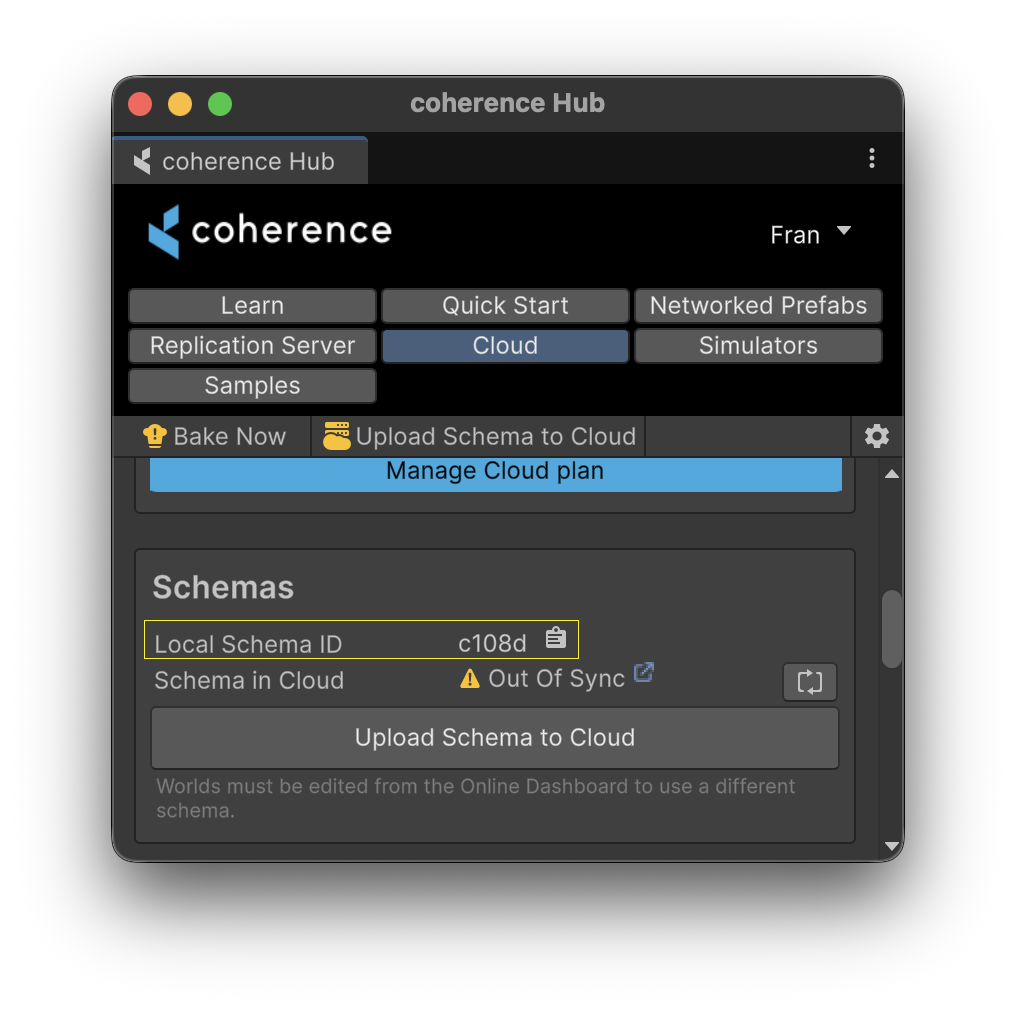
In the coherence Hub you can check what's your current **schema id** — this identifier acts as a **unique version number** that must match between clients for them to see each other within the network.
{% hint style="danger" %}
Since baking changes the schema, you need to restart your Replication Server (if open) after baking.
Likewise, update your coherence Cloud World(s) to point to the new schema (if it applies for your case).
Schema changes are **always breaking changes**, meaning two clients will not see each other if they try to stablish connection using different schemas.
{% endhint %}
To learn more about the role of schemas in coherence, refer to the [How does coherence work](/overview.md) section.
### How to Bake
There's different ways to trigger a bake.
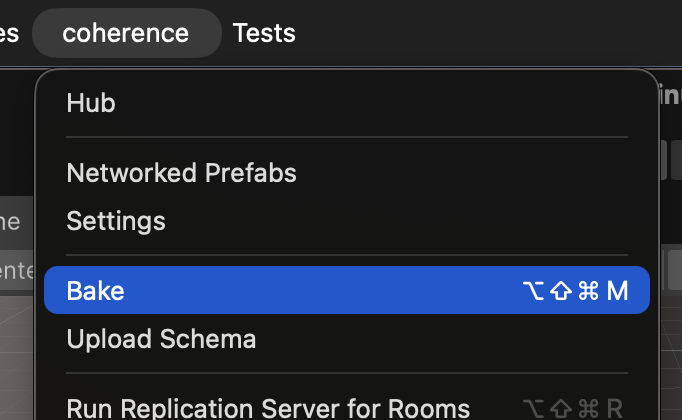
* Top menu: `coherence > Bake`
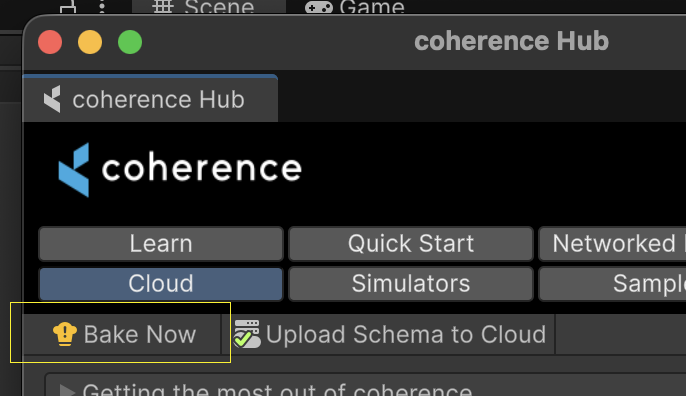
* coherence Hub: `Bake Now` button
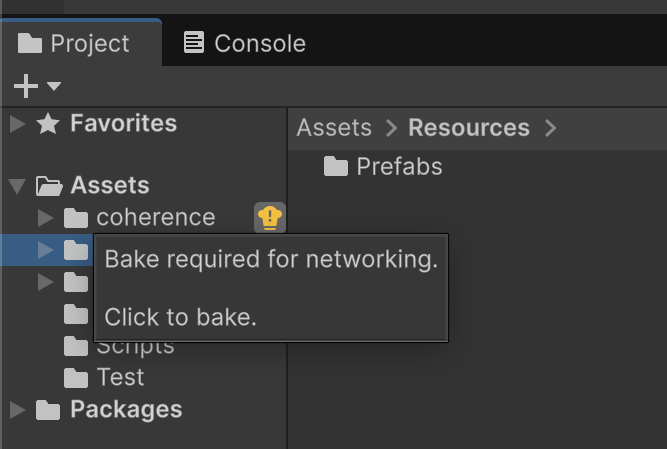
* Project window: `Assets > coherence` bake button
* Main toolbar: bake button (requires enabling it first — see [Bake button in Main Toolbar](#bake-button-in-main-toolbar))
* API: [`BakeUtil.Bake()`](https://unityapi.coherence.io/docs/latest/api/Coherence.Editor.BakeUtil.Bake.html)
Baking via top menu
Baking via coherence Hub
Baking via Project window
Baking via main toolbar — needs to be enabled manually
## Bake Button in Main Toolbar
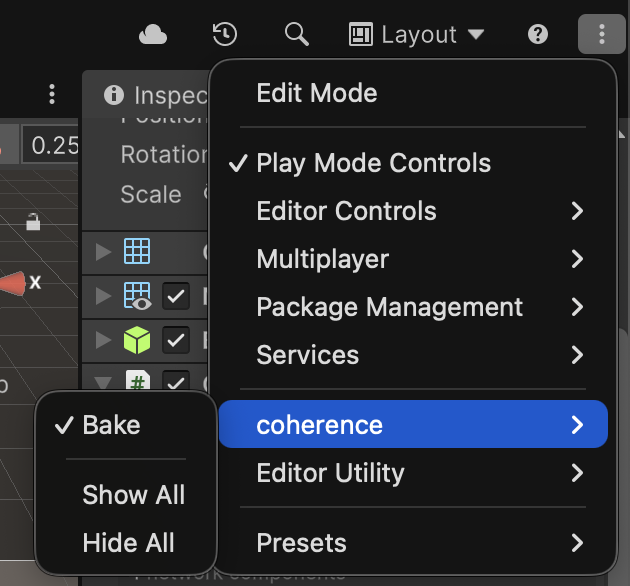
To enable or disable the Bake Button in Unity's Main Toolbar, right click near the Play Mode buttons, or click on the Kebab menu on the right side of the Main Toobar. A context menu will pop up. Select `coherence > Bake`.
You can choose where in the Main Toolbar to render this button, by enabling Edit Mode within the context menu.
{% hint style="info" %}
There's a few settings you can fine tune to your desired workflow needs. Check out the [settings](/manual/project-settings.md) section.
{% endhint %}
## Modifying baked Networked Prefabs
When you network variables or methods on your Networked Prefab and bake, coherence generates baked scripts that **access your code directly**, without using reflection. This means that whenever you change your game logic, you might break compilation by accident.
For example, if you have a `Health.cs` script which exposes a `public float health;` field, and you toggle `health` in the *Configure* window and bake, the generated baked script will access your component via its type, and your field via field name.
Like so:
```csharp
var healthComponent = GetComponent();
...
var healthField = healthComponent.health;
```
If you decide you want to change the component name or any of your bound member names, Unity can fail to compile, since baked scripts will still refer to the former names (i.e., the names as they were when baking was done).
In this example, we will be removing `health` and adding `health2` in its place.
```csharp
//public float health;
public float health2;
```
When saving this change and focusing on Unity, compilation errors will appear.
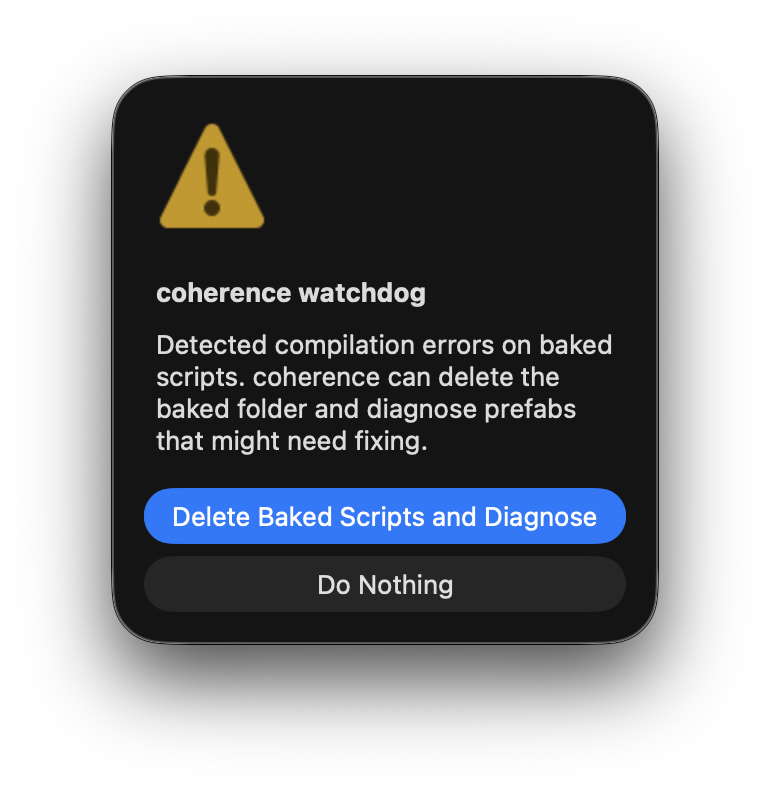
coherence includes a **watchdog** that is able to catch these compilation problems related to baked scripts, easing your way into getting things back to work.
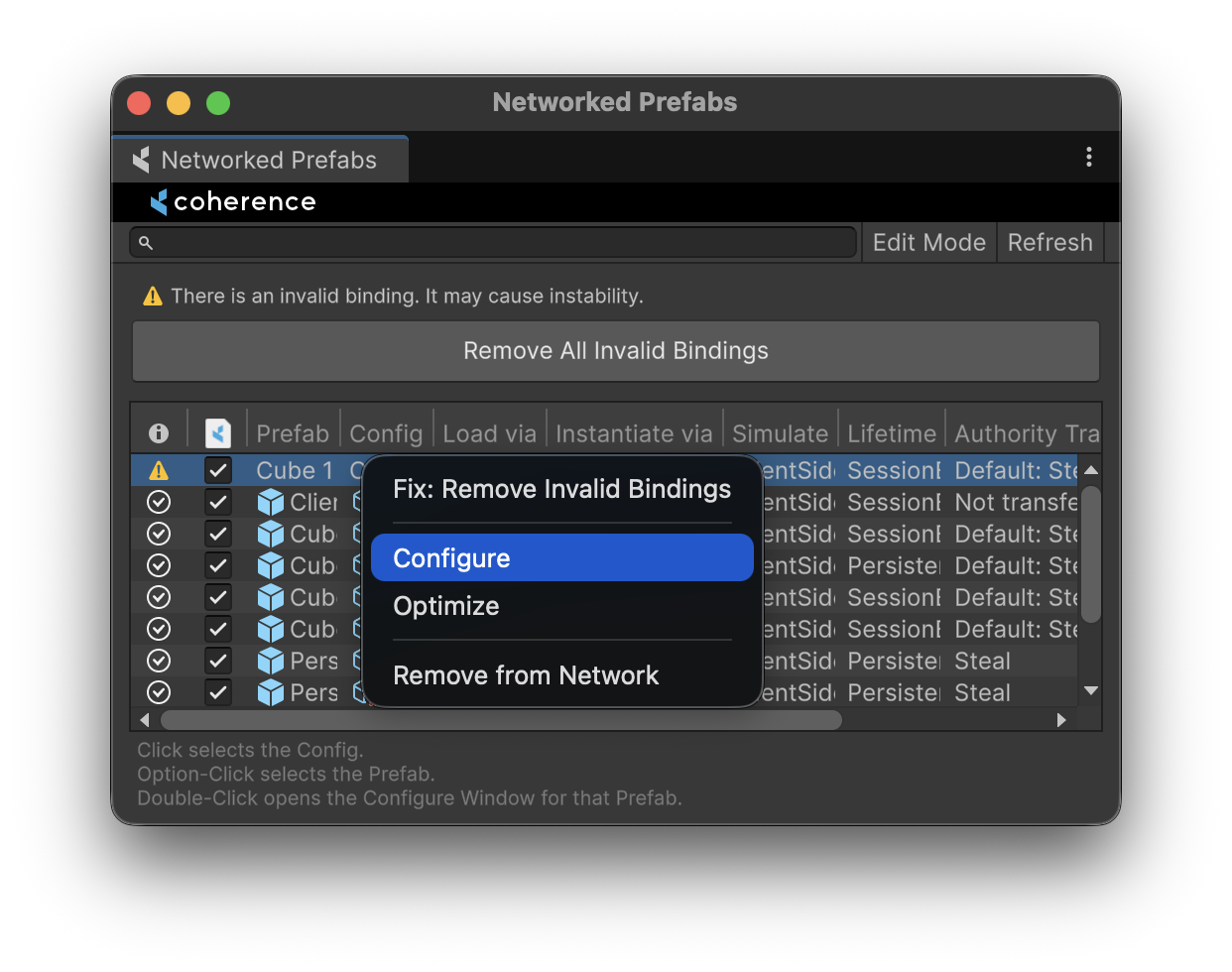
The watchdog suggests that you delete the baked folder, and then diagnose the state of your Networked Prefabs. Once Unity recompiles the project, you will be presented with the *Network Prefabs* window, to spot what Prefabs might require further attention.
{% hint style="info" %}
A `Do Nothing` option is provided as a fallback, in case the watchdog is not able to successfully resolve the situation. If you're manually debugging through baked code, and want to see what's going wrong (useful if you want to report issues to us!), you can use this option. Most of the time though, you're going to want to `Delete Baked Scripts and Diagnose`.
{% endhint %}
The Networked Prefabs window offers a holistic view so you can identify issues easily
In the Configure window of the Networked Prefab that shows issues, you can easily spot variables that can't be resolved properly. In our example, `health` is no longer valid since we've moved it elsewhere (or deleted it).

Now, we can manually rebind our data: unbind `health` and bind `health2`. Once done, we can safely bake again.
{% hint style="success" %}
Remember to bake again after you fix your Networked Prefabs.
{% endhint %}