> For the complete documentation index, see [llms.txt](https://docs.coherence.io/llms.txt). Markdown versions of documentation pages are available by appending `.md` to page URLs; this page is available as [Markdown](https://docs.coherence.io/manual/optimization/profiling.md).
# Profiling
#### Overview
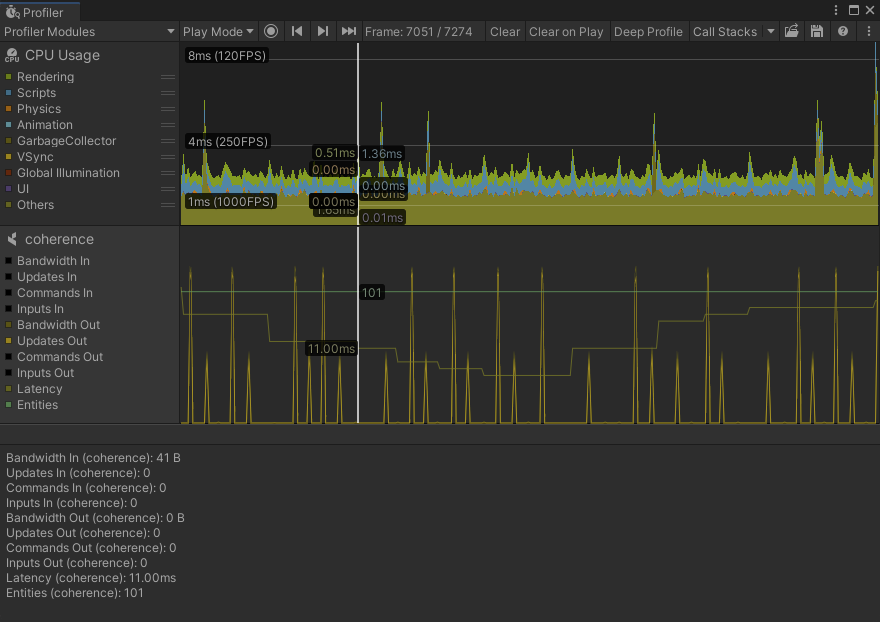
An integration with the Unity Profiler provides basic statistics on networking events and bandwidth.
{% hint style="info" %}
The module is only available in Unity 2021.2 and newer.
{% endhint %}
Unity Profiler with Coherence module
#### Usage
To view the module, open the Unity Profiler by selecting *Window > Analysis > Profiler*.\
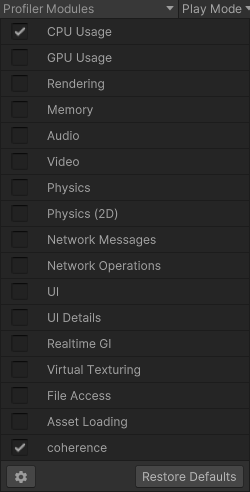
Open the *Profiler Modules* dropdown menu in the top left, and select the *coherence* module.
Profiler Modules dropdown menu
To hide unneeded graph lines, select the colored square next to the item you do not wish to see.