> For the complete documentation index, see [llms.txt](https://docs.coherence.io/llms.txt). Markdown versions of documentation pages are available by appending `.md` to page URLs; this page is available as [Markdown](https://docs.coherence.io/getting-started/setup-a-project/test-in-the-cloud/share-builds.md).
# Share Game Builds
coherence Cloud allows you to upload and share the builds of your games to your team, friends or adoring fans via an easy-access play link.
It supports standalone desktop (Windows, macOS and Linux) and also Web builds.
You can host and instantly play your multiplayer game and share it around the world.
{% hint style="success" %}
You can use the [First Steps](https://coherence.io/games/coherence/first-steps-tutorial) or [Campfire](https://coherence.io/games/coherence/campfire-tutorial) projects to follow along this section.
{% endhint %}
First, build your game as you normally would. Next, we'll upload it to **coherence Cloud**.
## Upload Game Build to Cloud
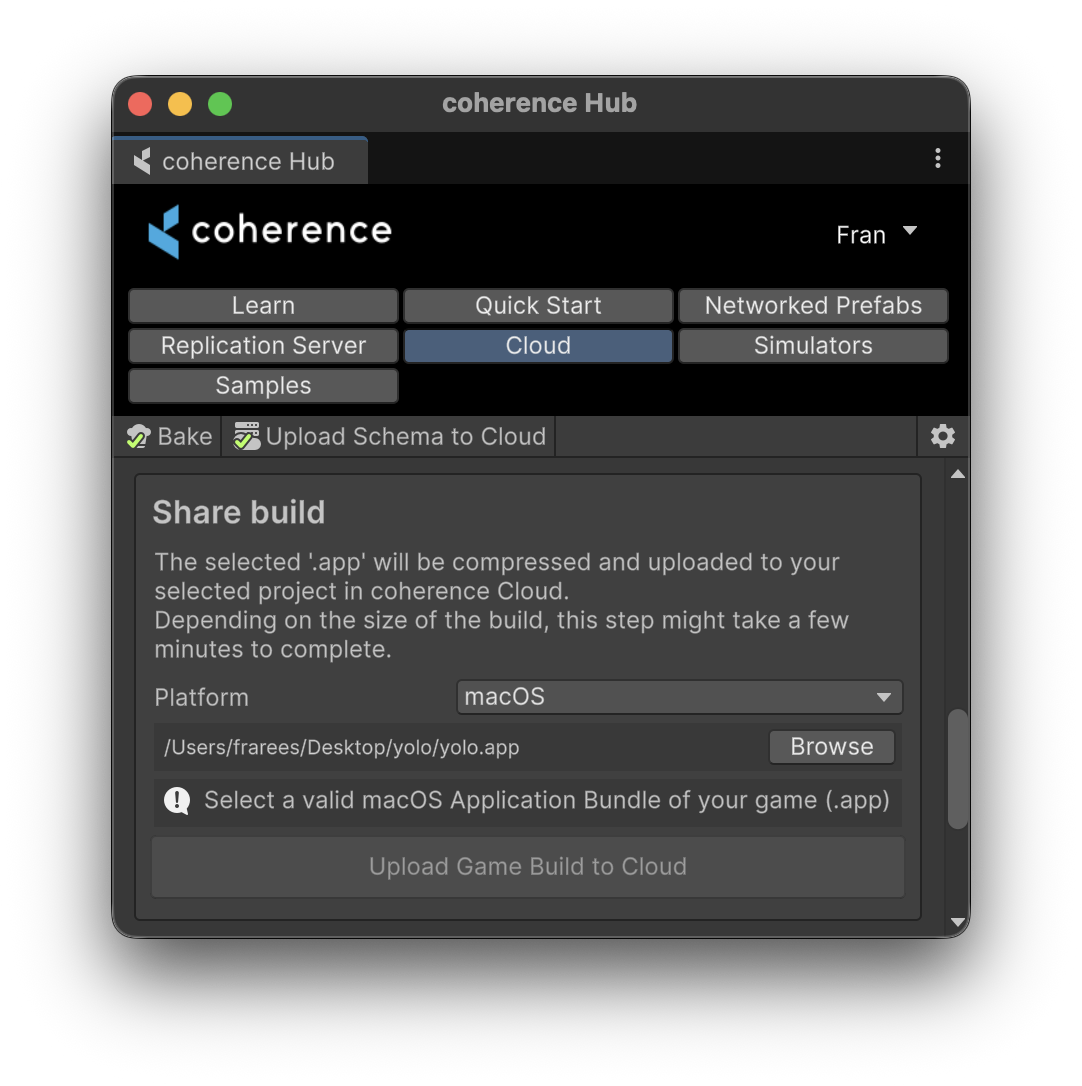
In **coherence Hub**, select the **Cloud** tab.
You can upload your build from the **Share build** section.
Select the platform, browse for the previously-created build, and click **Upload Game Build to Cloud**.
Once uploaded, it becomes available in your Public Page.
## The Public Page
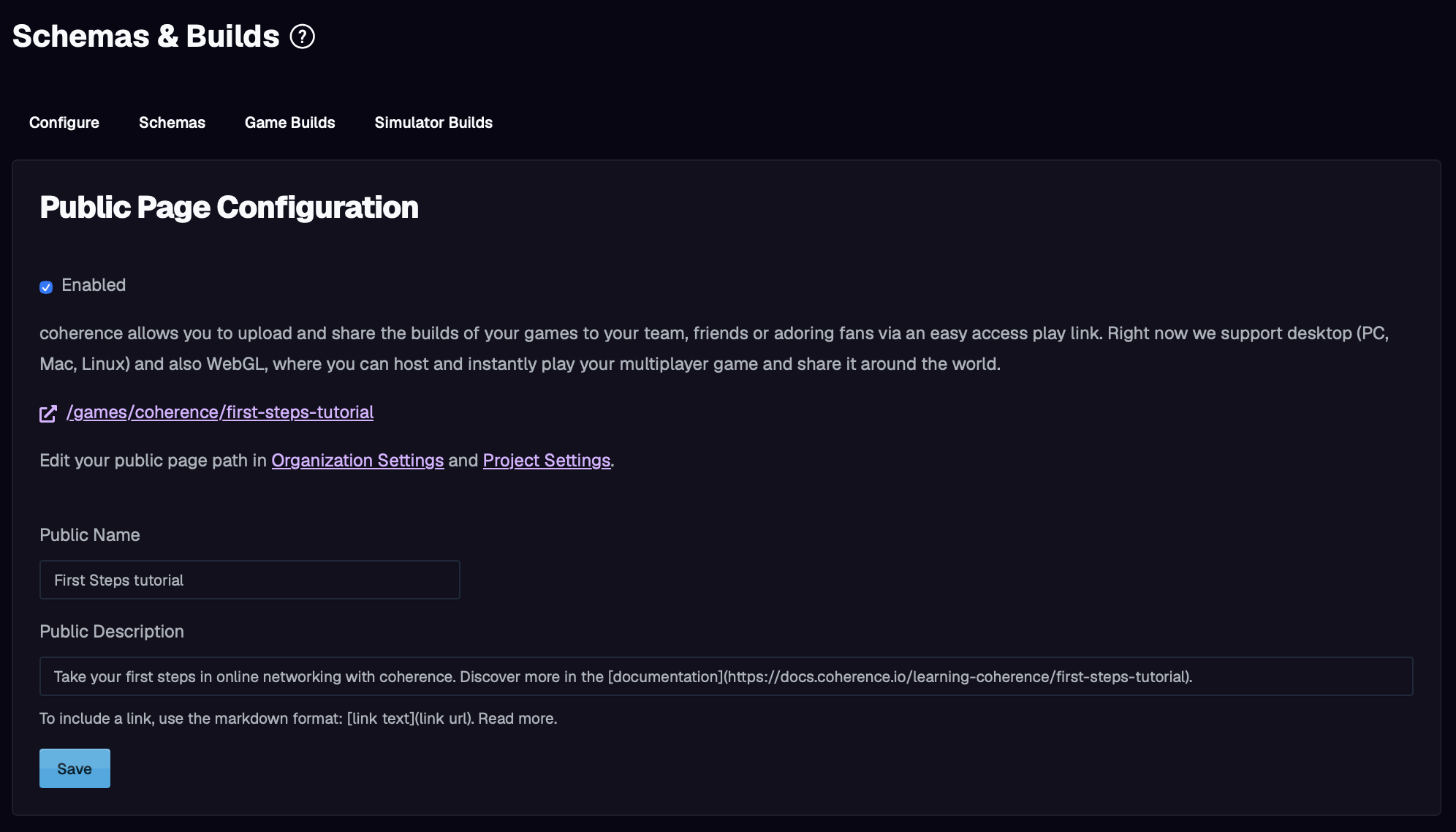
Every project hosted in coherence Cloud can have a Public Page. This hosted site can hold your standalone builds (Windows, macOS and Linux) and will render a Web view (if any).

It is the most straightforward way to share your work easily to friends and colleagues, specially early on, when you are ready to playtest.
Enable Public Page on coherence Cloud via ` > Schemas and Builds > Configure`:
On the `Game Builds` tab you can manage which builds become available, and can also remove them.
{% hint style="warning" %}
macOS builds might need some extra work to be launched:
* Give execution permissions to the .app
* Remove from quarantine
```bash
chmod +x "/Contents/MacOS/"
xattr -r -d com.apple.quarantine ""
```
{% endhint %}
***
{% hint style="success" %}
That's it! You made and shared a multiplayer game, hosted in the cloud. Surely it's simple for now, but now that the technical aspects are out of the way, you can focus on fun gameplay.
We recommend heading to our Samples and Tutorials section, dive [into the samples](/getting-started/samples-and-tutorials/package-samples.md) or watch some [video tutorial](/getting-started/video-tutorials.md), to learn all about deeper topics.
{% endhint %}